

Documentation · Revolutionary eCommerce 0.10.7
Revolutionary eCommerce, from first product to first refund.
How to set up the store, add products, configure tax, shipping and payments, and run orders, coupons, customers, reports and emails day to day.
Released version 0.10.5
Current release setup and checks
Run a WordPress store with products, orders, tax, shipping and checkout.
- Square payments include the store tax. Line-by-line rounding can produce a one-cent difference on multi-item orders, which is recorded as an adjustment.
- Carrier integrations require your own credentials and testing. The release notes do not establish successful live or sandbox carrier acceptance.
Check your setup
- Configure and test tax, payment webhooks and shipping in your own test environment before taking orders.
- Check the order total, tax, confirmation and refund path with test data. No payment configuration on this website is changed by this guide.
Quick start
Up and running in minutes
Step 1
Install and activate
Upload the plugin zip under Plugins, Add New, Upload Plugin, and activate. The Shop, Cart, Checkout and My Account pages are created for you.
Step 2
Set up the basics
eCommerce, Settings, General. Choose your currency and store address, then set tax and shipping on their tabs.
Step 3
Connect a payment method
Settings, Payments. Paste your Stripe keys and webhook signing secret, or turn on Square, cash on delivery or bank transfer.
Step 4
Add products and test
Add a product, then place a test order with Stripe test keys. Or seed demo data from Tools to explore first.
On this page
Start here
Getting started
Everything lives under Revolutionary Plugins, eCommerce in wp-admin. Only eCommerce shows in the sidebar; the other screens (Orders, Products, Coupons, Customers, Reports, Emails, Settings, Status and Tools) are on the tab bar at the top of every store screen.
Requirements
- WordPress 5.8 or later and PHP 7.4 or later
- HTTPS on the site for card payments
- Optional: Revolutionary Blocks, to design the store pages visually
License and updates
Updates come from the Revolutionary update server under your Revolutionary license. Enter the license key once in Multipurpose Dashboard, Welcome. There is no separate license field in the plugin.
Explore with demo data
eCommerce, Tools, Seed demo data adds sample categories, products, coupons and orders so every screen has something to show. The same screen removes them again.
The dashboard
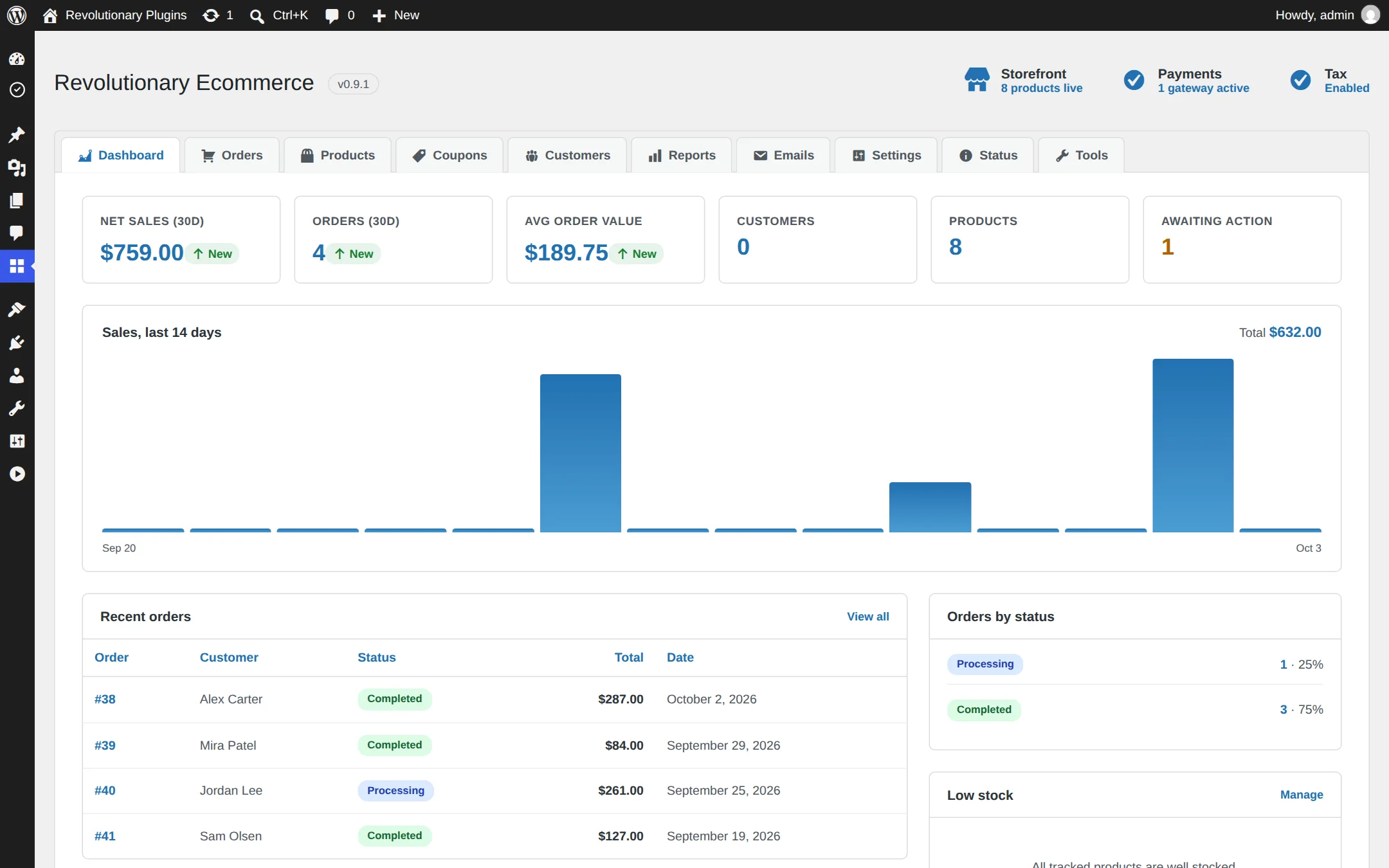
Net sales, orders and average order value for the last 30 days compared with the 30 before, customer and product counts, orders awaiting action, a 14-day sales chart, recent orders, top products, orders by status, low stock and quick actions. Until a payment method is active, a prompt links you to Payments.
Settings
Store settings
eCommerce, Settings has nine tabs: General, Products, Tax, Shipping, Payments, Fraud protection, Account, Emails and Advanced.
| Tab | What you set there |
|---|---|
| General | Currency and its format, store address, and multi-currency display (exchange rates and a country-to-currency map) |
| Products | Weight and dimension units, stock management and the low stock threshold |
| Tax | Tax on or off, prices entered with or without tax, and rate rows |
| Shipping | Rate rows, free shipping, local pickup and live USPS and UPS rates |
| Payments | Stripe, Square, cash on delivery and bank transfer |
| Fraud protection | Risk scoring, block lists and trusted proxies |
| Account | My Account tabs, guest checkout, coupons and the abandoned cart reminder |
| Emails | How order emails are sent |
| Advanced | Which pages act as the Shop, Cart, Checkout and My Account pages |
Catalog
Products
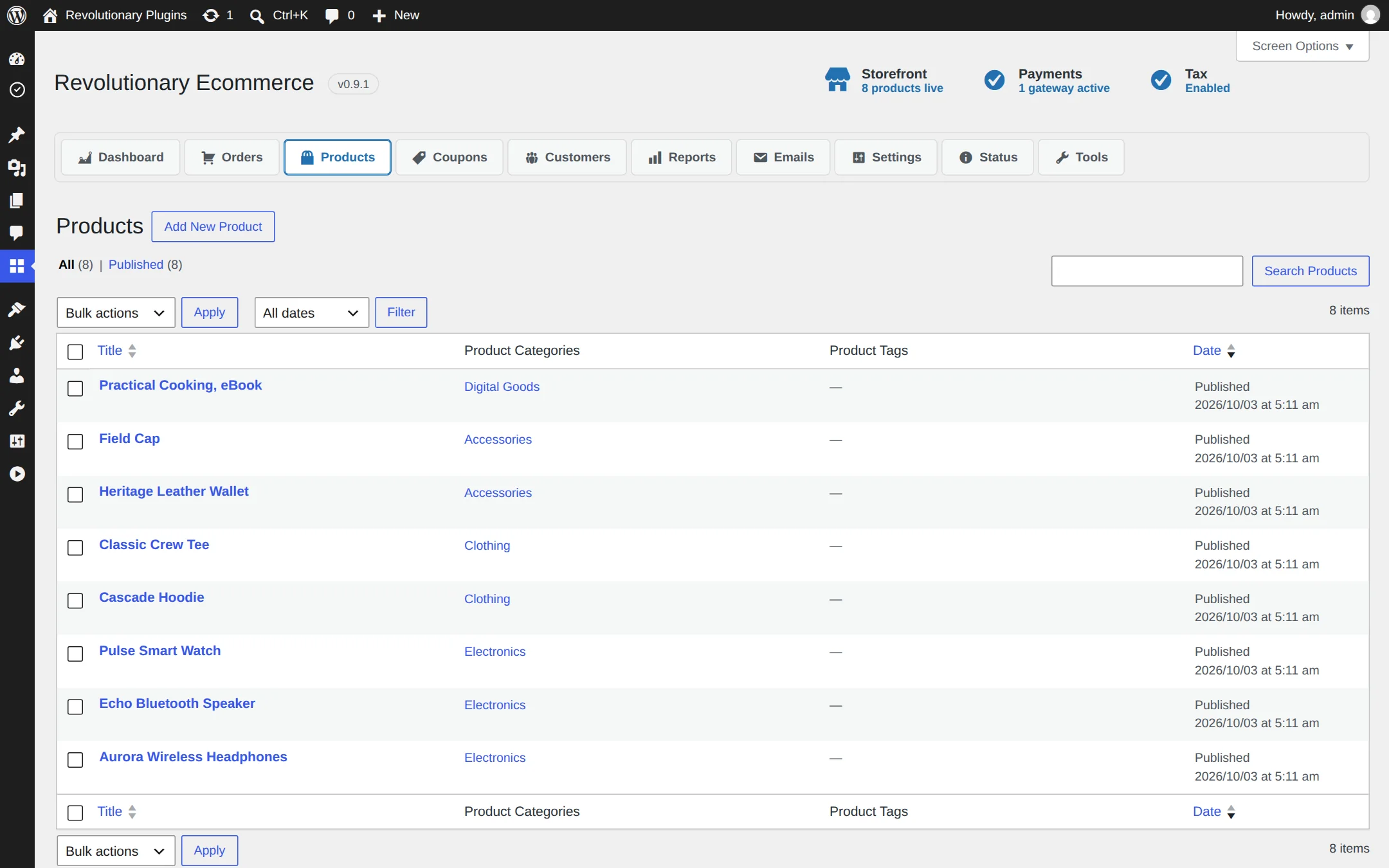
Products are a WordPress post type with their own categories and tags, so adding one feels like writing a post.
Add a product
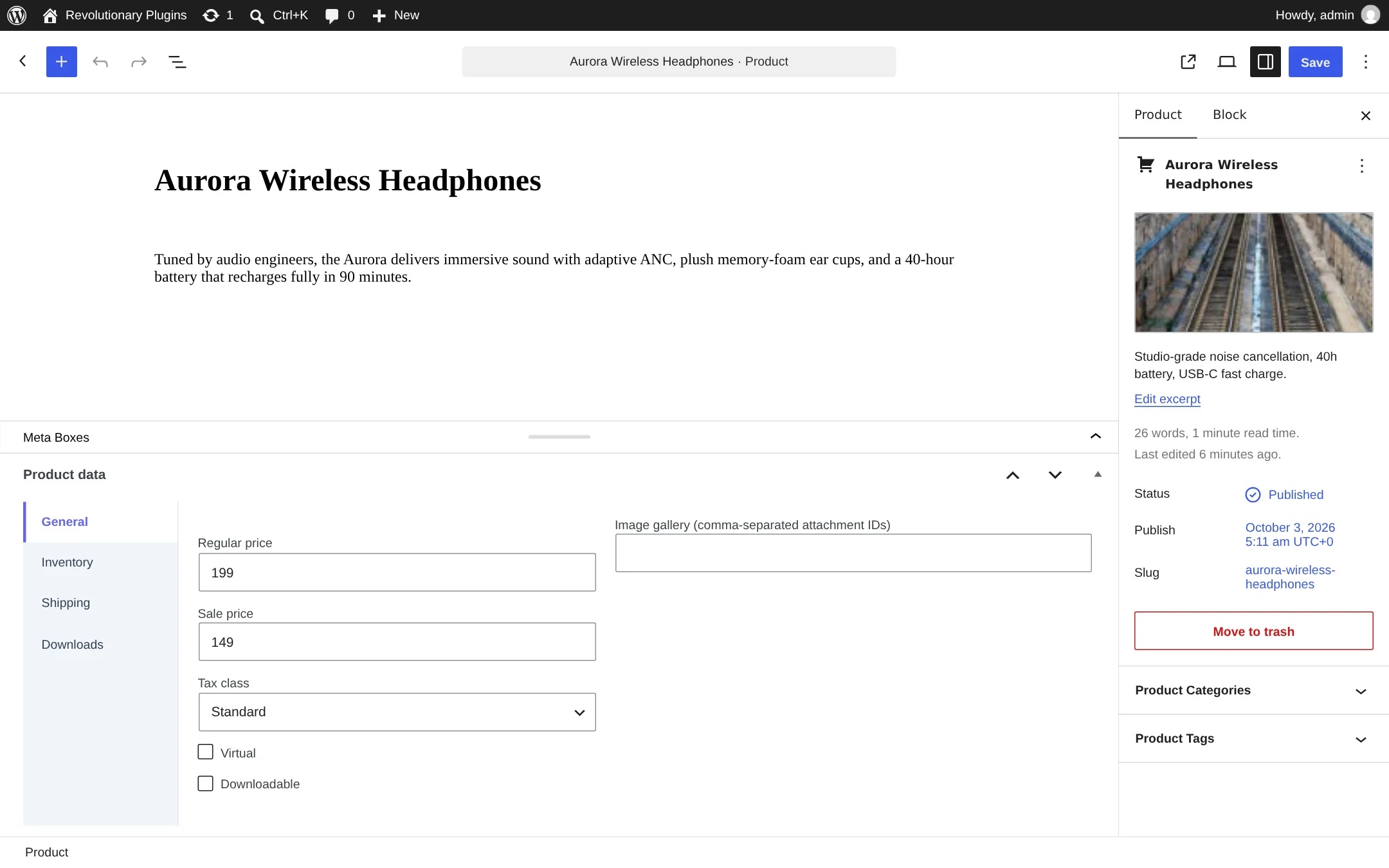
- 1. Open eCommerce, Products and click Add New.
- 2. Enter a title and description, and set a featured image and gallery.
- 3. In the product data box, set the regular price, an optional sale price and the SKU.
- 4. Turn on stock management to set a quantity, a stock status and whether backorders are allowed, allowed with a notice, or refused.
- 5. Enter weight and dimensions, and choose a shipping class and tax class if you use them.
- 6. Publish.
Virtual and downloadable products
Tick Virtual for products that do not ship. Tick Downloadable and list each file on its own line as Name | URL. Buyers find their files under Downloads in My Account.
Categories and tags
Manage them under Products, Categories and Products, Tags, the same way as post categories and tags.
Stock rules
- Stock is held for a cart while its payment is in progress.
- Stock is reduced when an order is paid or put on hold, not when it is created.
- When a product falls to the low stock threshold, you get one email.
Settings
Tax and shipping
Both engines work from rate rows that you match to a customer's location.
Tax rate rows
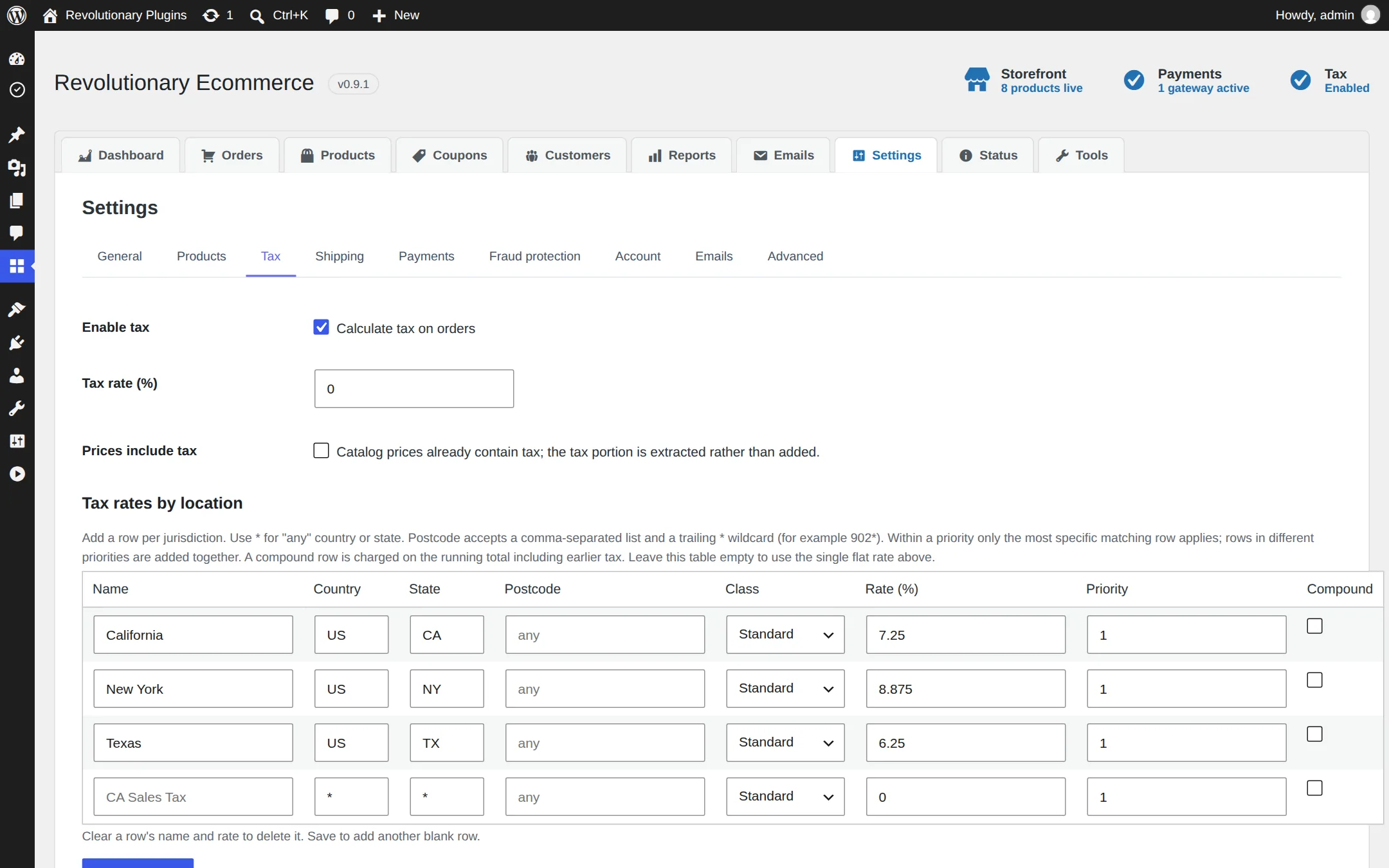
Turn tax on, choose whether your prices already include tax, then add rows. Each row has a country, state, postcode, rate, tax class, priority and a compound switch. Postcodes accept wildcards, so 902* matches every code starting with 902.
Shipping rate rows
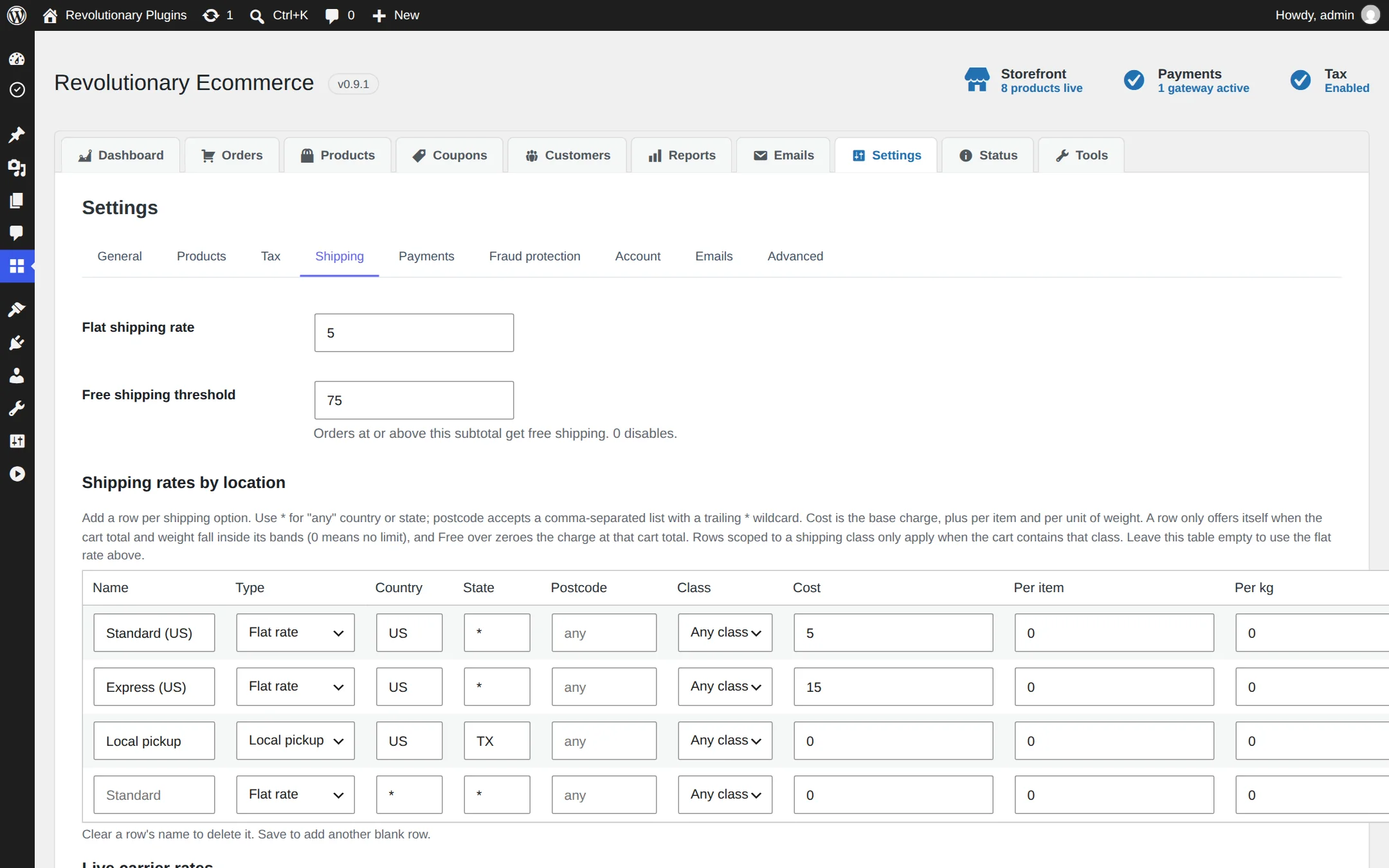
Each row is scoped to a location and can charge a base cost plus an amount per item and per kg. Limit a row to a band of cart totals, make it free over a threshold, offer free shipping or local pickup, and restrict it by shipping class.
Live USPS and UPS rates
- 1. Create API credentials in your USPS or UPS developer account.
- 2. In Settings, Shipping, enter the Client ID, Client secret and account number for the carrier.
- 3. Choose which services to offer, and add a handling markup as a flat amount or a percentage.
- 4. Use test mode until rates look right, then switch to live.
Carrier acceptance is not established by release notes
The carrier integrations are implemented, but the released changelog does not record a successful real or sandbox carrier acceptance run. Test rates with your own carrier credentials and representative addresses before relying on live checkout.
Settings
Payments
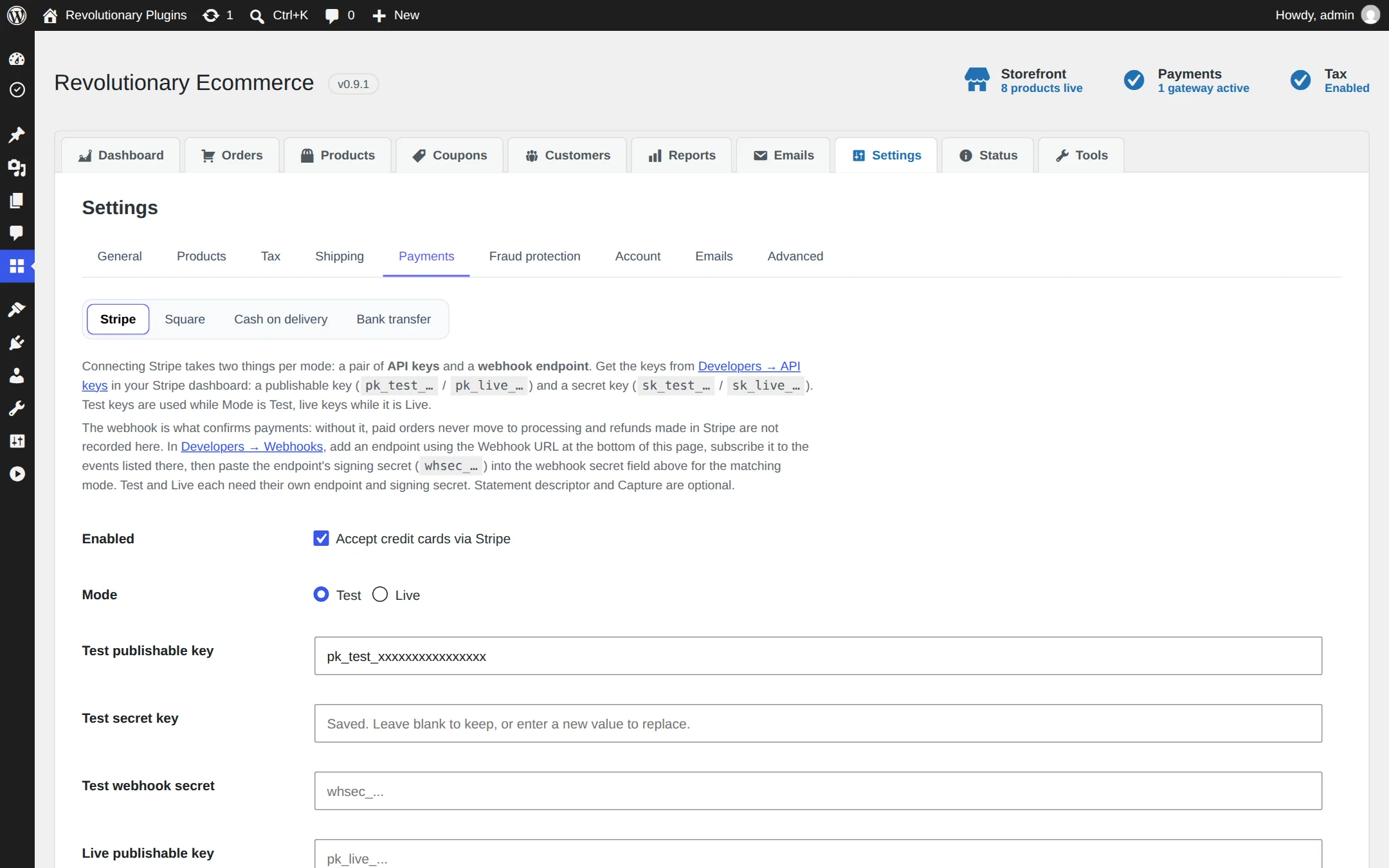
Settings, Payments has a sub-tab for each method: Stripe, Square, Cash on delivery and Bank transfer. Each one explains what its connection needs.
Stripe
- 1. Paste your test or live publishable and secret keys.
- 2. Choose automatic capture, or manual capture if you want to authorize first and capture later.
- 3. Set a statement descriptor for your customers' card statements.
- 4. In Stripe, add a webhook to https://yoursite.com/wp-json/revecom/v1/stripe-webhook for payment_intent.succeeded, payment_intent.payment_failed, payment_intent.canceled and charge.refunded, plus the product and price events if you import your catalog.
- 5. Paste the webhook signing secret back into the store and save.
Square
Enter the sandbox or production Application ID, Access Token and Location ID, and the webhook signature key. Point Square's webhook at https://yoursite.com/wp-json/revecom/v1/square-webhook.
Cash on delivery and bank transfer
Turn either on for customers who pay offline. Bank transfer asks the customer to pay into your account using the order ID as the reference. Orders placed either way wait on hold until you confirm payment and move them on.
Square tax and rounding
Square orders receive items, discounts, shipping and tax. Per-line rounding can change a multi-item total by one cent; the order follows Square's total and records the adjustment. The release notes state that this path still needs Square sandbox testing with tax enabled.
Settings
Fraud protection
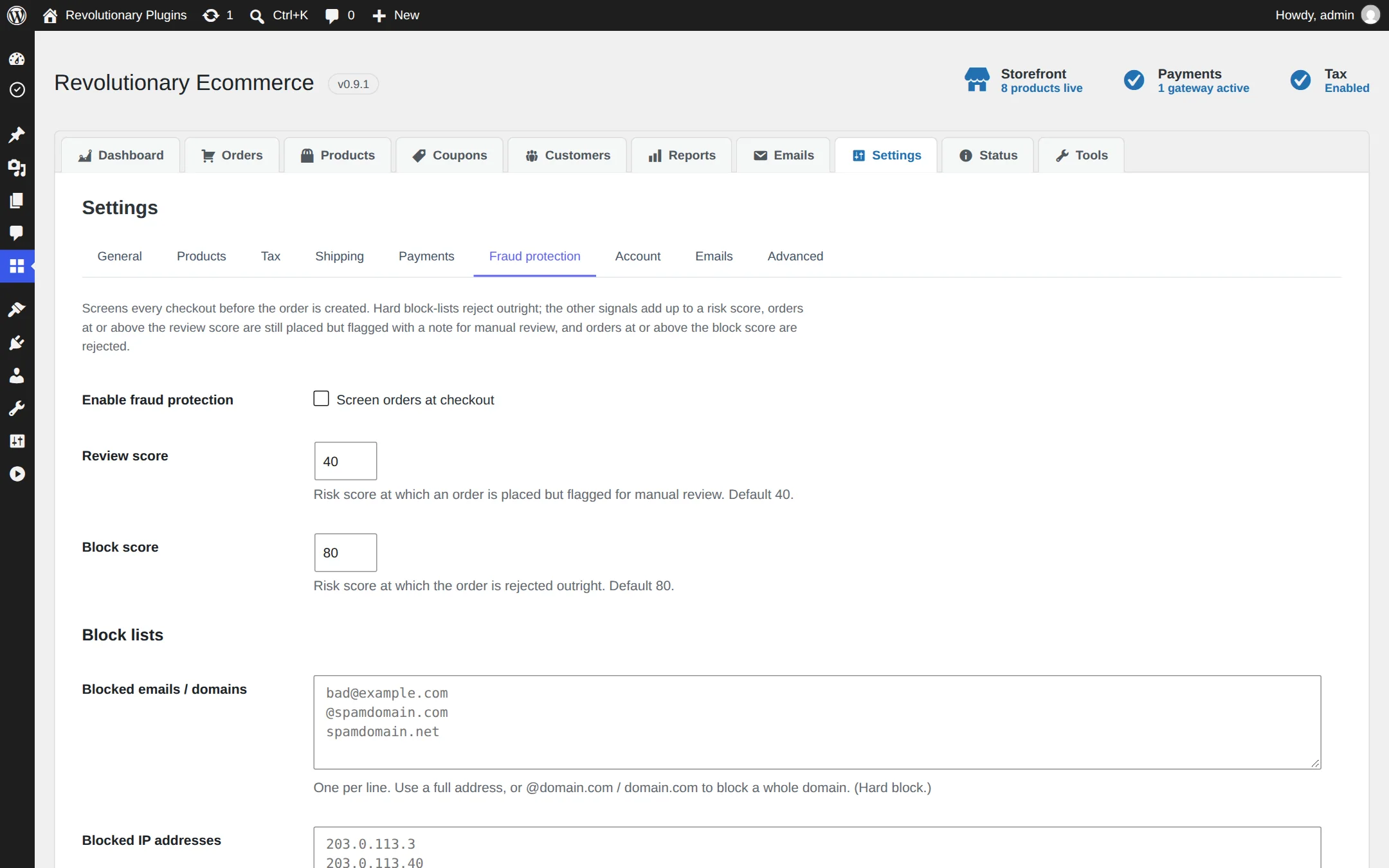
When fraud protection is on, every checkout gets a risk score. Scores at the review threshold (40 by default) add a flag and the reasons to the order. Scores at the block threshold (80 by default) are refused.
| Signal | Effect |
|---|---|
| Email, domain, IP or country on your block list | Blocked outright |
| Disposable email domain | +50 points |
| Order total below your safe minimum | +30 points |
| Order total above your high-value threshold | +50 points |
| Too many checkout attempts from one email or IP in your time window | +60 points |
Trusted proxies
Behind a CDN or reverse proxy, list the proxy addresses here so the store reads the real visitor IP from forwarding headers. Headers from anyone else are ignored. With Revolutionary Security active, the store uses Security's IP resolver instead.
Daily work
Orders and refunds
eCommerce, Orders lists every order with a status filter. Open one to see the items, addresses, payment details and notes.
Statuses and allowed changes
| From | Can move to |
|---|---|
| Pending payment | Processing, On hold, Canceled, Failed |
| On hold | Processing, Completed, Canceled, Failed |
| Processing | On hold, Completed, Refunded, Canceled |
| Completed | Refunded |
| Canceled | Pending payment |
| Failed | Pending payment, Canceled |
| Refunded | No further changes |
Notes
Add notes to any order and mark each one as internal or as a note to the customer, so the order keeps its own history.
Refunds
Refund the whole order or part of it from the order screen. The refund is sent to Stripe or Square for you. Refunds you make in the Stripe or Square dashboard are matched back to the order by webhook.
Daily work
Coupons, customers and reports
Coupons
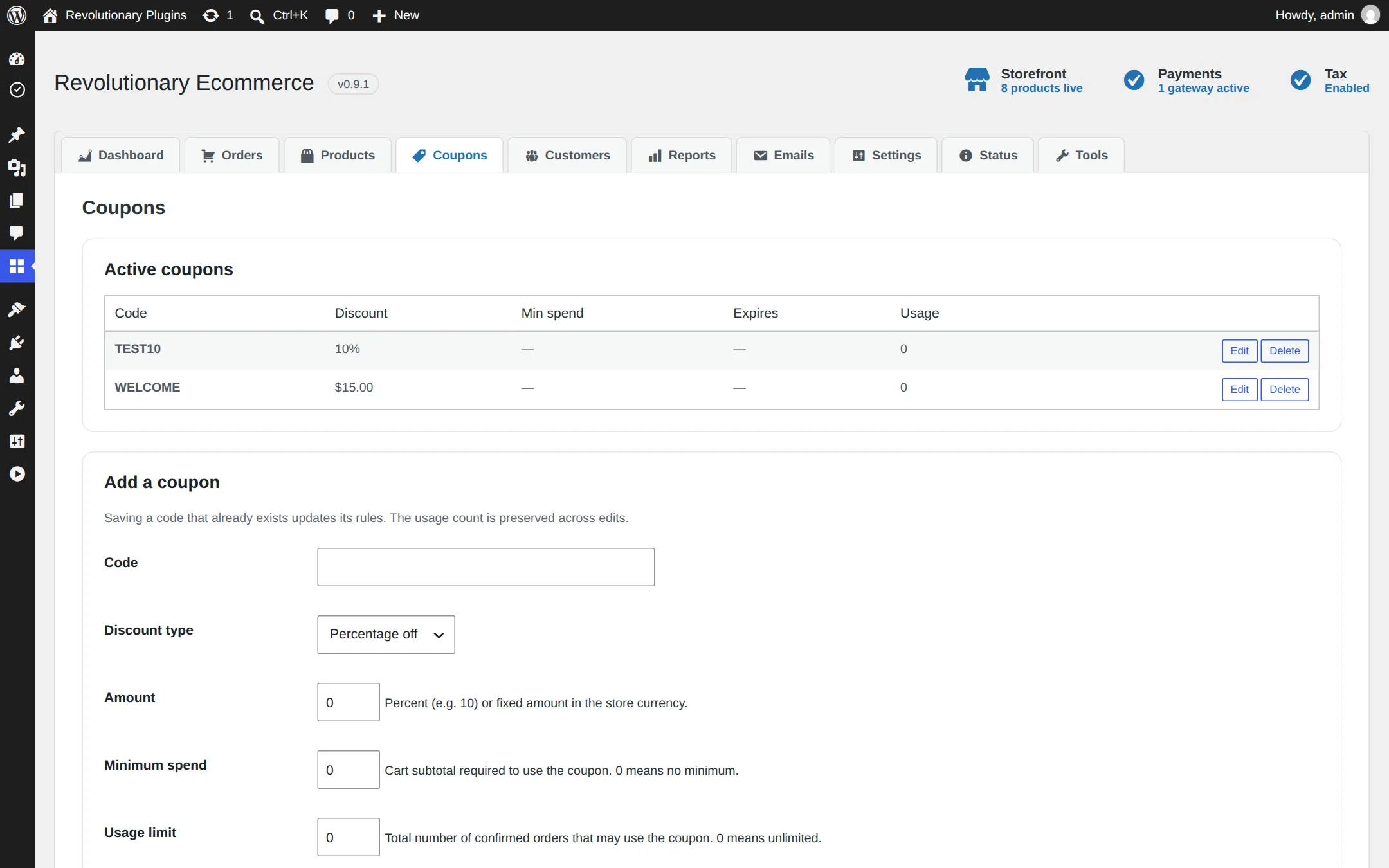
Choose a percent or fixed amount, then add any limits: a minimum spend, a usage limit (counted only on confirmed orders), an expiry date, and a list of products or categories the coupon applies to. Turn coupons off for the whole store under Settings, Account.
Customers
A searchable list of customers with their order counts and lifetime spend.
Reports
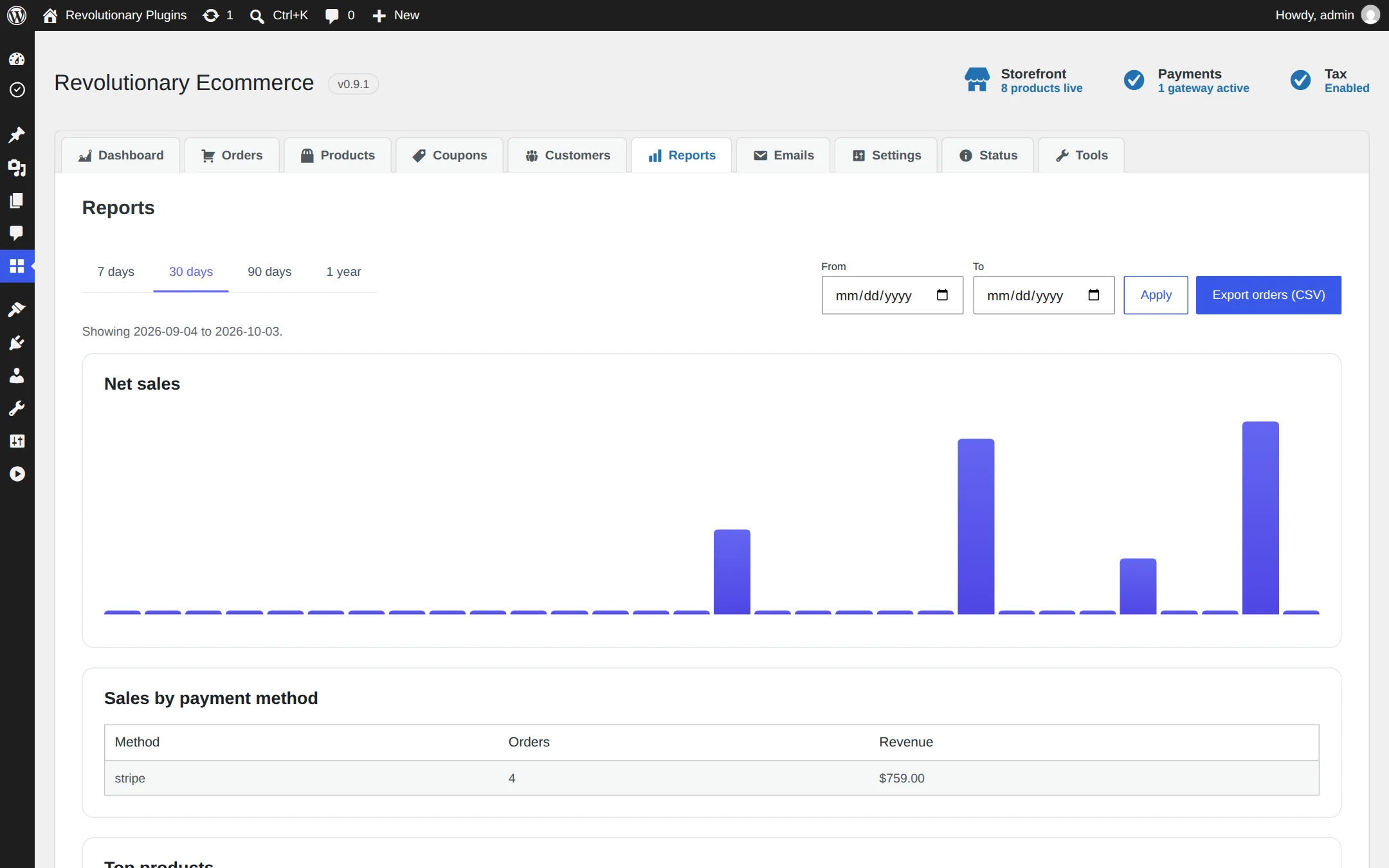
Pick 7, 30, 90 or 365 days or a custom date range to see daily net sales, top products and sales by payment method. Export the orders in that range to CSV; the export is safe to open in a spreadsheet.
Customers
Order emails
eCommerce, Emails lists six HTML emails: new, processing, on hold, completed, refunded and canceled orders.
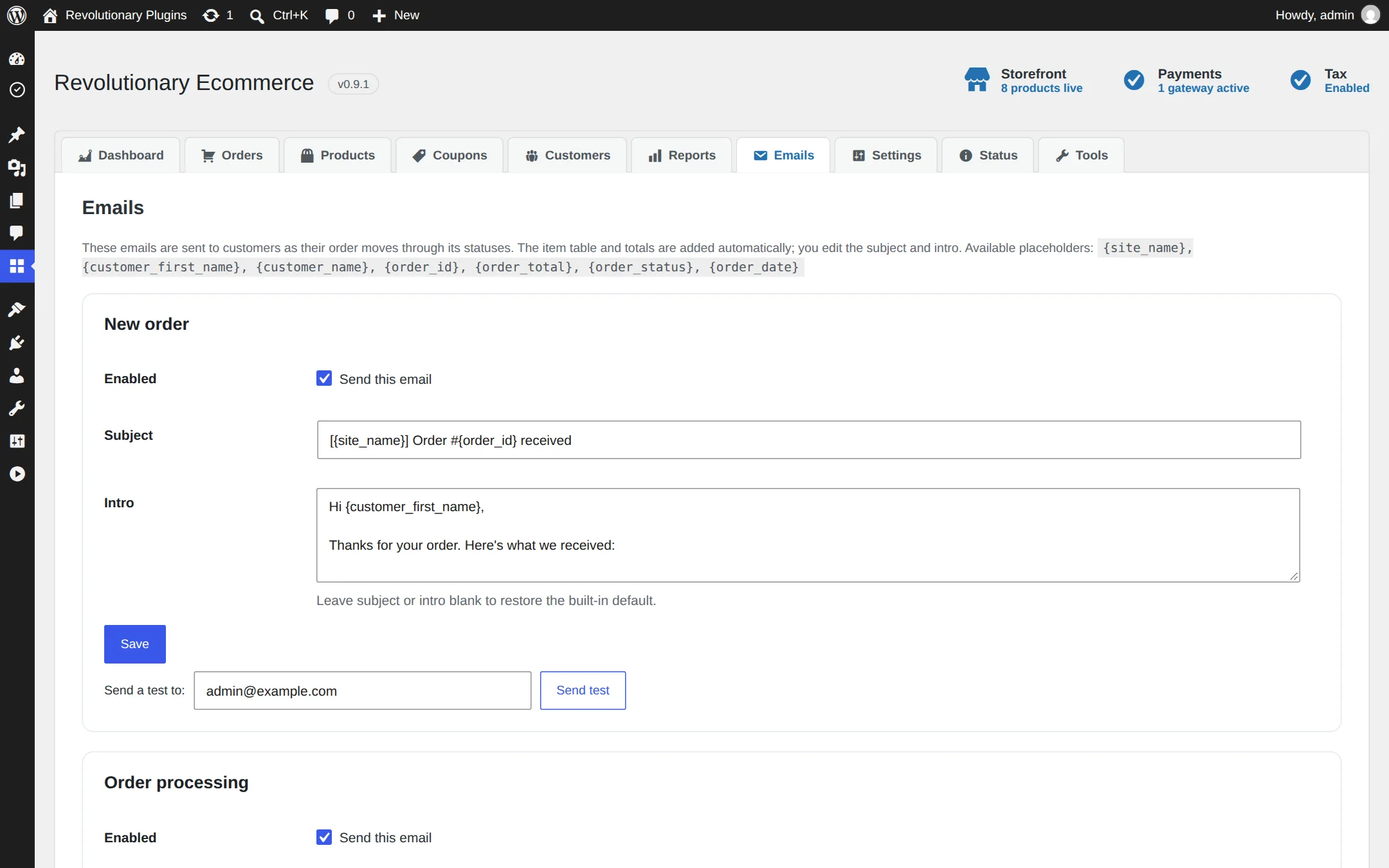
- Switch each email on or off.
- Edit its subject and intro text.
- Use placeholders such as {customer_first_name} and {order_total}.
- Click Send test to see it in your own inbox, even before your first order.
Abandoned cart reminder
Turn it on under Settings, Account and choose how many hours to wait. Signed-in customers who leave items in their cart get one reminder per cart.
Design
Building store pages
Use shortcodes, Revolutionary Blocks widgets, or theme templates.
Shortcodes
| Shortcode | Shows |
|---|---|
[revecom_shop] | The product grid |
[revecom_product id="123"] | One product |
[revecom_cart] | The cart |
[revecom_mini_cart] | A compact cart |
[revecom_checkout] | The checkout |
[revecom_account] | My Account |
Revolutionary Blocks widgets
With Blocks active, the Ecommerce widget category adds Shop Grid, Product, Add to Cart, Mini Cart, Cart, Checkout, Account, Price and Product Categories. The Account widget has a Style tab and a switch for each tab.
Theme template overrides
Copy any of single-product.php, shop.php, cart.php, mini-cart.php, checkout.php or order-received.php into a revecom folder in your theme and edit the copy. Your version is used instead of the plugin's.
My Account
Customers see Orders, order details, Downloads, Addresses and Account details. Choose which tabs appear under Settings, Account. Customer-only accounts are sent here instead of wp-admin.
Troubleshooting
Common questions
The webhook is missing or has no signing secret. Add the webhook in Stripe with the events listed under Payments, then paste its signing secret into Settings, Payments, Stripe.
That is by design. Accounts that only have the customer role are sent to My Account and do not see the toolbar.
There are none. Use the REST API under revecom/v1 or the admin screens.
Deleting it removes its settings, every product and order, its session and order item tables, and customers' saved addresses. Export your orders from Reports first.
Yes. eCommerce, Status shows your server environment, which pages are assigned to the store, and which integrations are connected.
Stuck on something?
Search the forums, open a ticket, or write to us. A real person reads every message.