

Revolutionary Popups · version 0.0.15
The right message, at the right moment, without the bloat.
Write your message, choose when it appears, where it appears and how often each visitor sees it. One form, four layouts, five triggers, and a dashboard that counts every view and every close.
- Centered modal, top bar, bottom bar or bottom-right slide-in
- On load, after a delay, on scroll, on exit intent, or on click
- Once per session, once per day, or once ever per visitor
Released version 0.0.13
What the current release includes
Show popups, bars and slide-ins with targeting, triggers and frequency limits.
- The opt-in native slide-in layout handles keyboard focus and reduced motion.
- A slide-in suspends while an open Ruby chat panel overlaps it.
Why it exists
Most popup plugins are marketing suites. Most sites need a popup.
Revolutionary Popups does the everyday job well: an announcement, a sale, a signup form or a notice, shown to the right people at the right time, and never shown again to someone who already closed it.
See it in action
From idea to live popup in one screen.
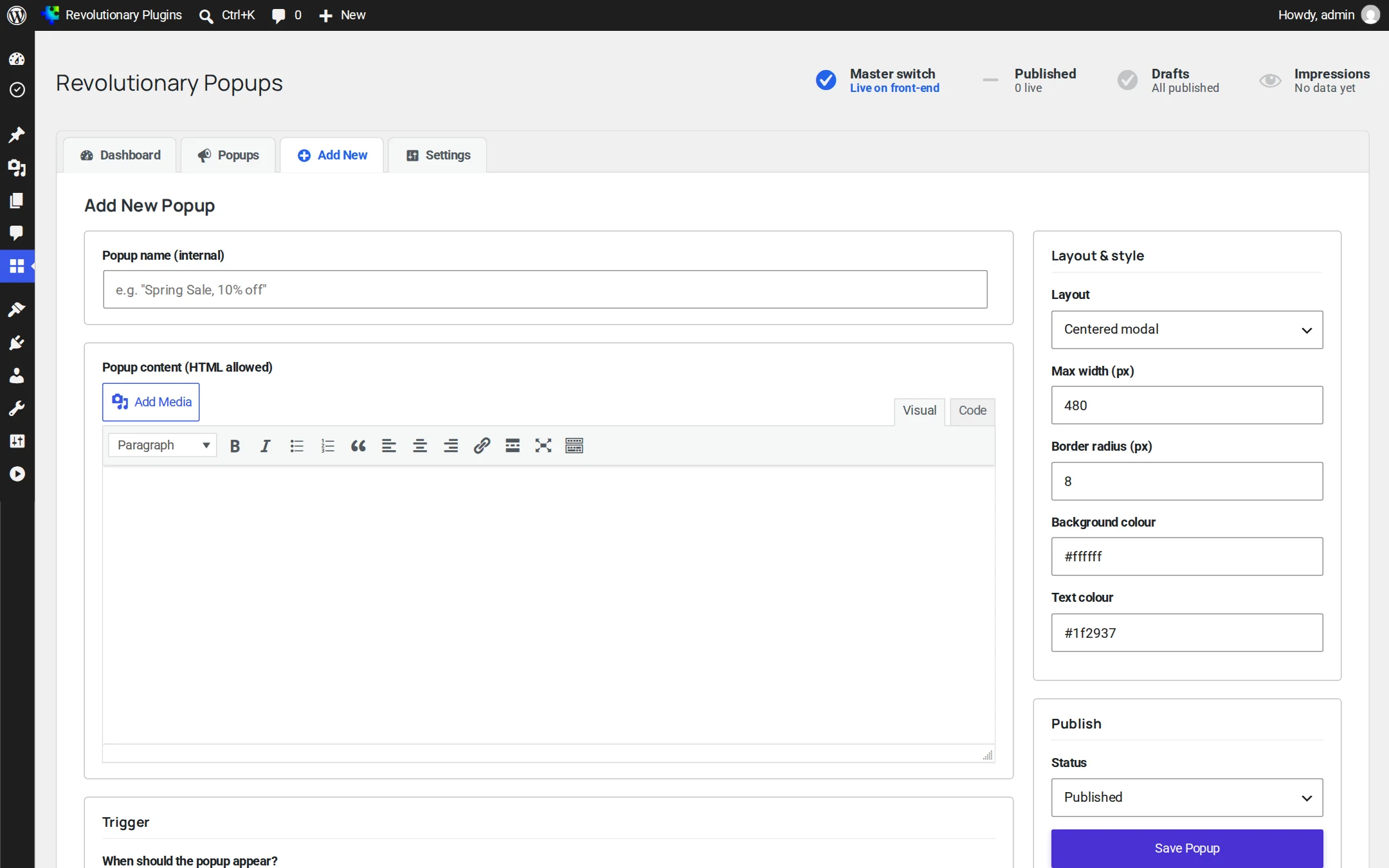
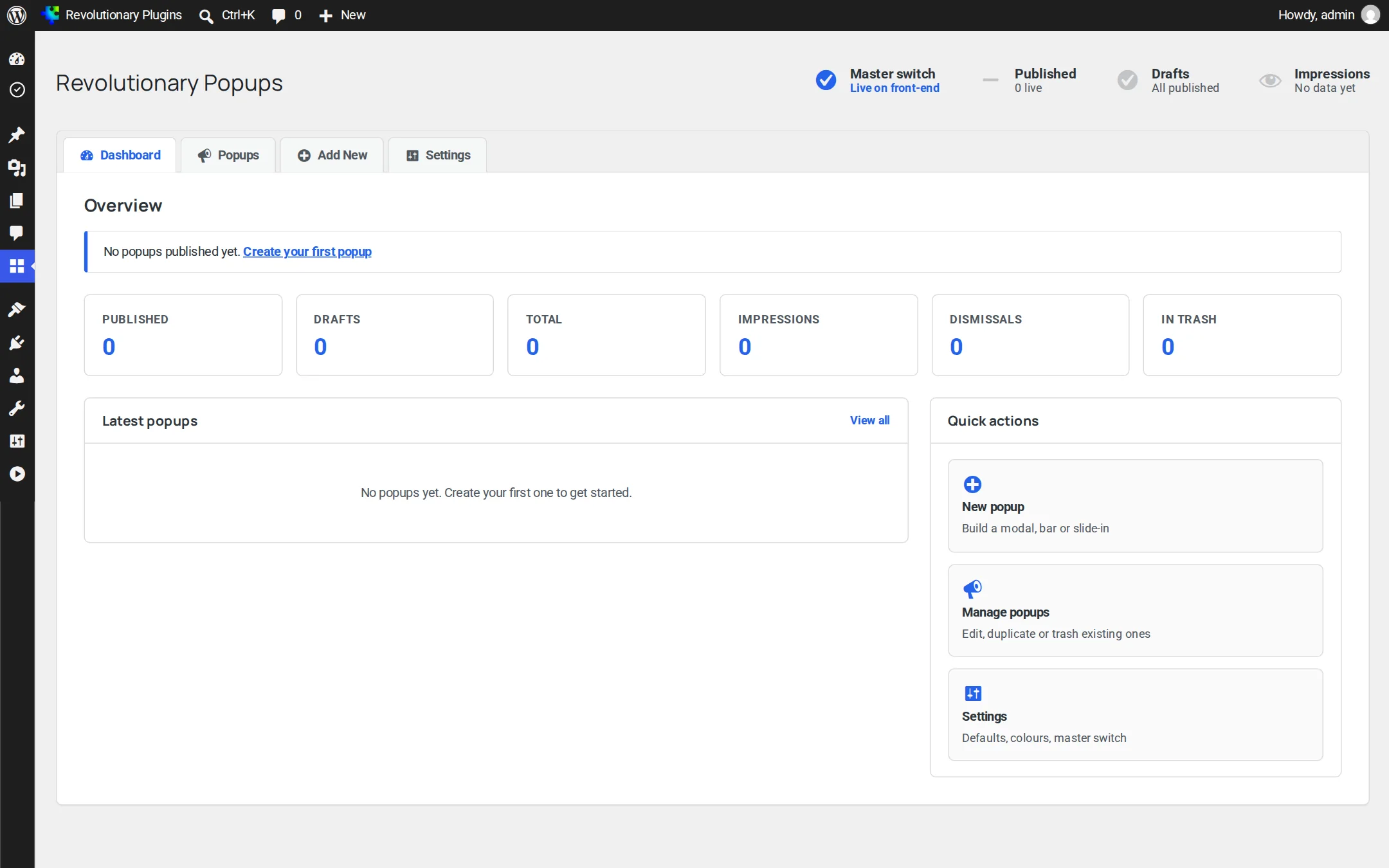
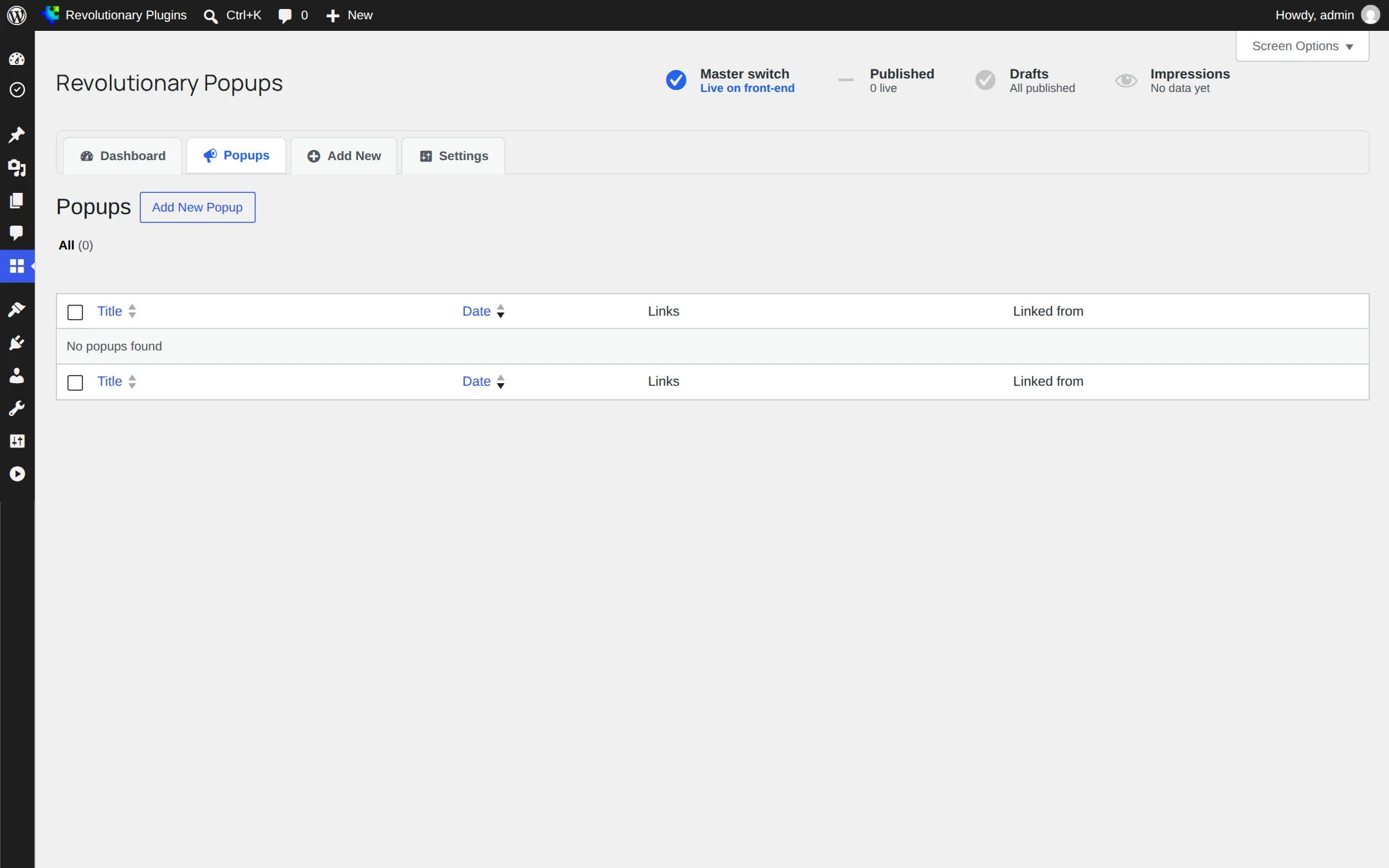
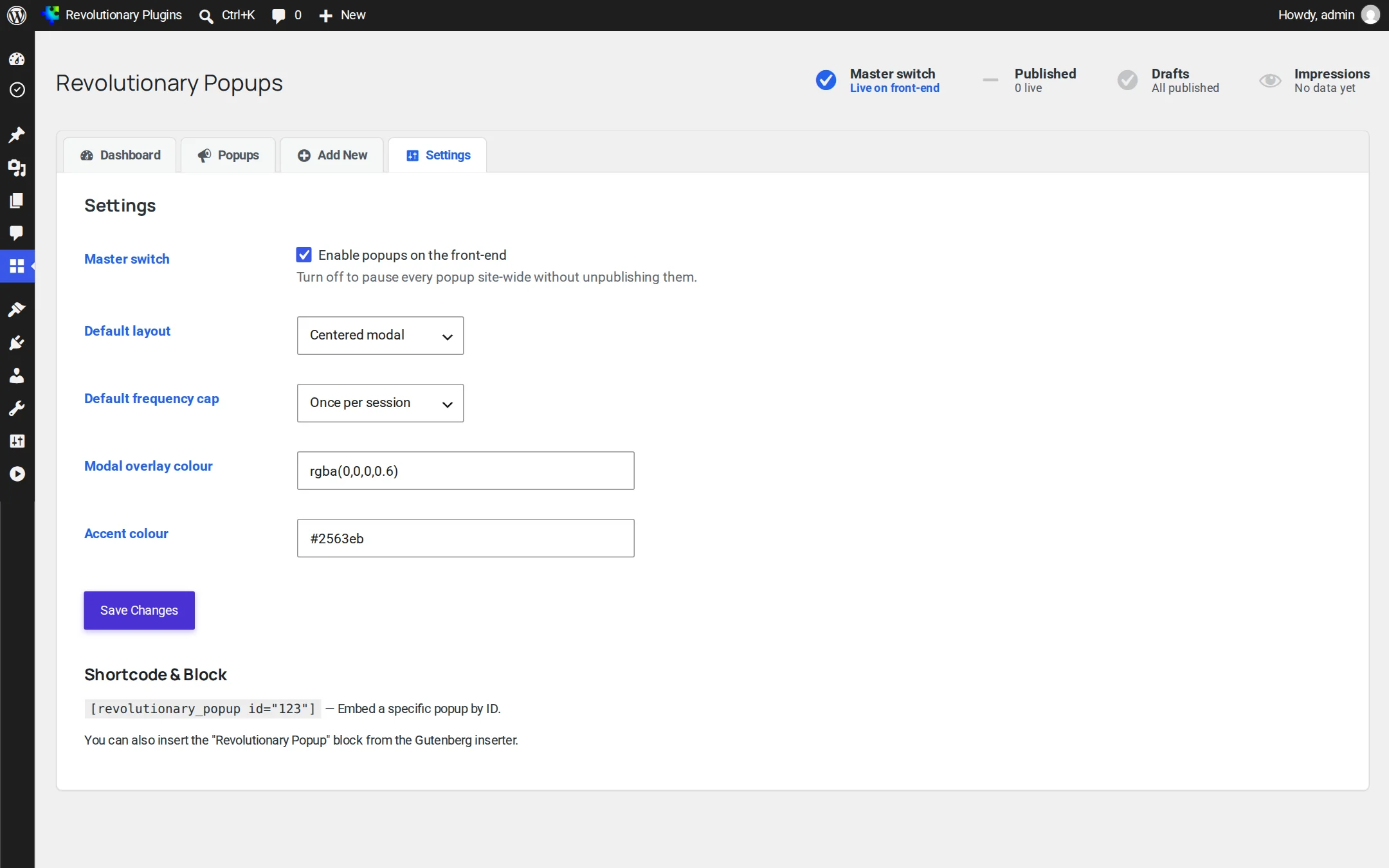
Popups live under Revolutionary Plugins, Popups, with an overview, your list of popups, the popup form and a short settings page.
Pillar 1
Show it at the right moment
Pick one trigger per popup. A block or shortcode can override it on a single page.
Pillar 2
To the right people, not too often
Target pages precisely and respect visitors who have already seen your message.
Pillar 3
Looks at home on your site
Simple style controls, and content that can hold anything WordPress can.
Screens
Every screen, up close
Real screens from version 0.0.15. Click any screenshot to open it full size.
Security fixes
Strict color validation, per-popup edit permission checks, contributors limited to drafts, and counters that only count published popups.
Automatic updates
Automatic updates now work. Earlier packages were missing the update library, so sites on 0.0.6 or older need one manual update.
Theme fonts in the admin
Admin headings use the theme's heading font, so the screens match the rest of the suite.
Set the trigger to On click of a CSS selector and give your button that class, for example .open-popup. Or embed the popup with the shortcode and trigger="click".
Yes. Choose URLs matching pattern(s) and list the paths one per line. Use * as a wildcard, such as /shop/*.
Only if you want them to. Choose once per session, once per day, or once ever after they close it.
Yes. Popup content supports shortcodes, so a form shortcode from Revolutionary Forms or another plugin works inside it.
With the close button, by clicking the dimmed backdrop, or by pressing Escape.
Every feature keeps working. You see an admin notice and stop receiving updates until the license is renewed.
Works well with
Better together
Every plugin shares one license, one look and one support desk.
Say it once, to the right people.
Revolutionary Popups is included with every Revolutionary license, together with all sixteen plugins and the Multipurpose theme.