

Revolutionary SMTP · version 0.6.8
WordPress email that actually arrives.
Send every message from your site through a real, authenticated connection: Microsoft 365, SendGrid, Postmark, Amazon SES or your own SMTP server. Every email is logged, and when one fails you see the provider's actual error.
- Microsoft 365 through the Graph API, even where SMTP sign-in is turned off
- Send as a shared mailbox, with no license and no password
- An email log, a delivery chart and a test sender built in
Released version 0.6.6
What the current release includes
Send WordPress email through a configured provider and inspect delivery records.
- Choose the connection to use for WordPress mail after configuring and testing it.
- When no connection exists, the Dashboard links to Integrations and the test-send tool. Connection cards record who connected and when.
Why it exists
WordPress's built-in mail is a guess. Your contact forms deserve better.
Out of the box, WordPress hands mail to the web server and hopes. Messages land in spam or vanish, and nothing tells you. Revolutionary SMTP sends through a provider that proves who you are, and keeps a record of every message.
See it in action
Know what your site sends, and whether it got there.
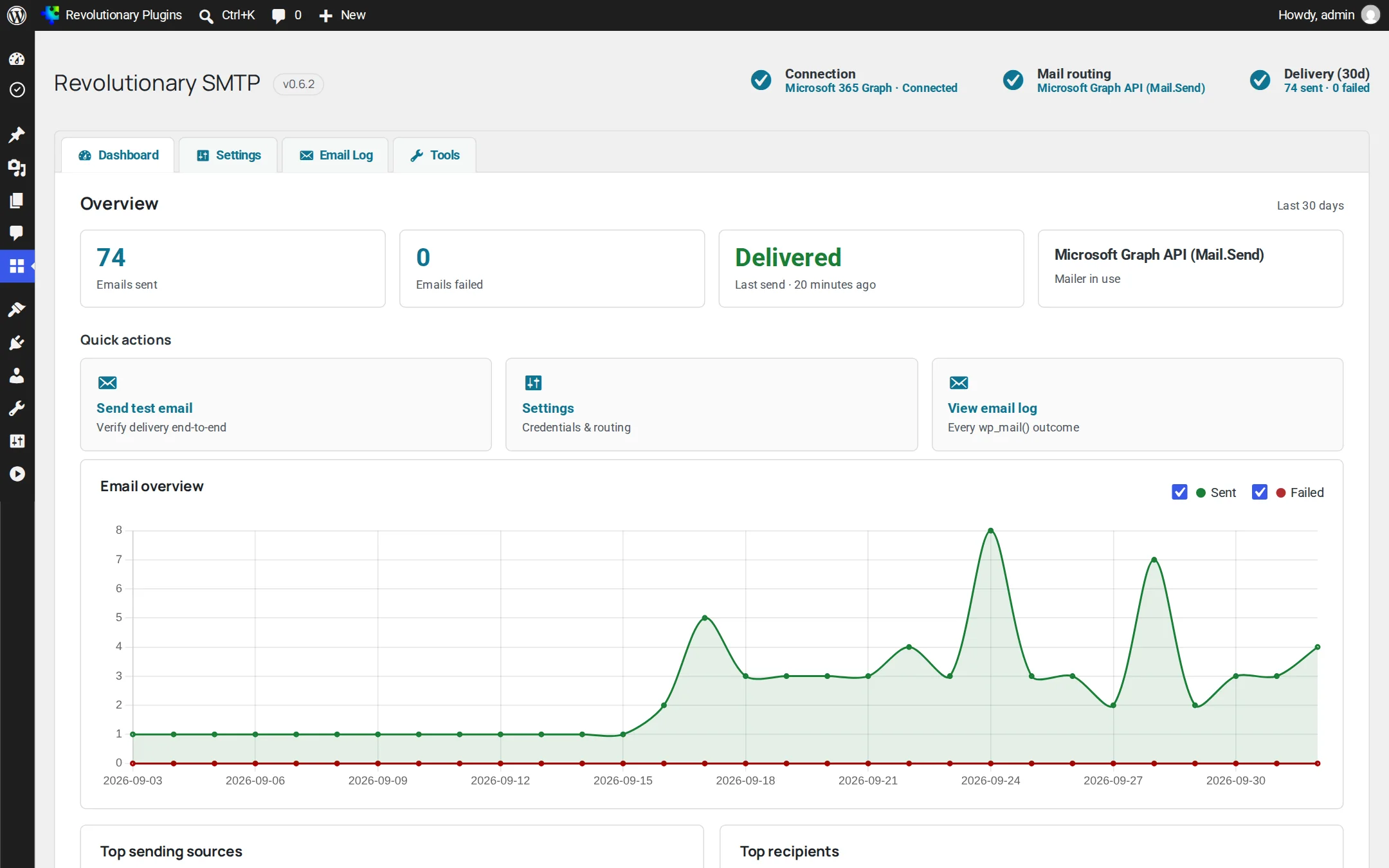
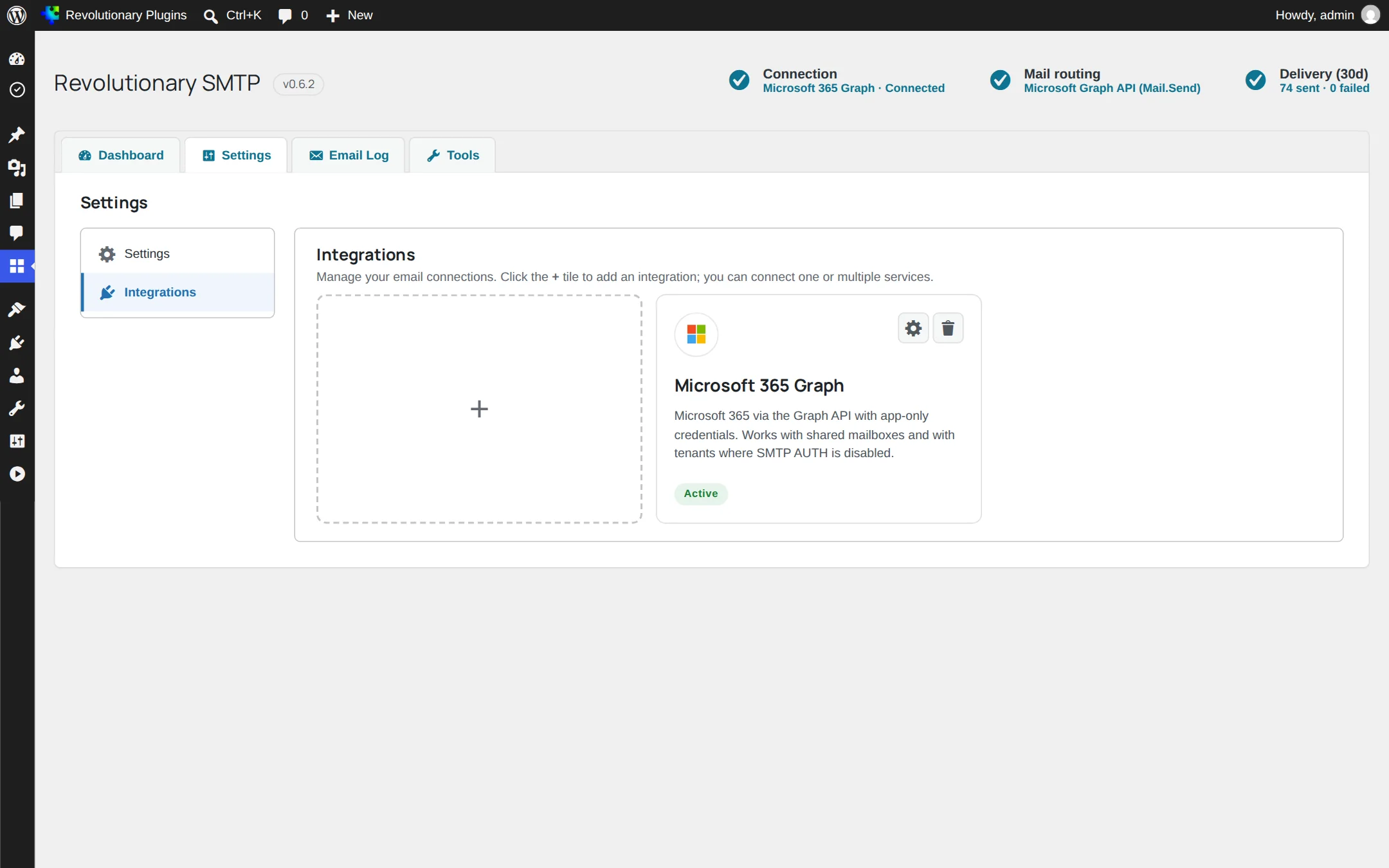
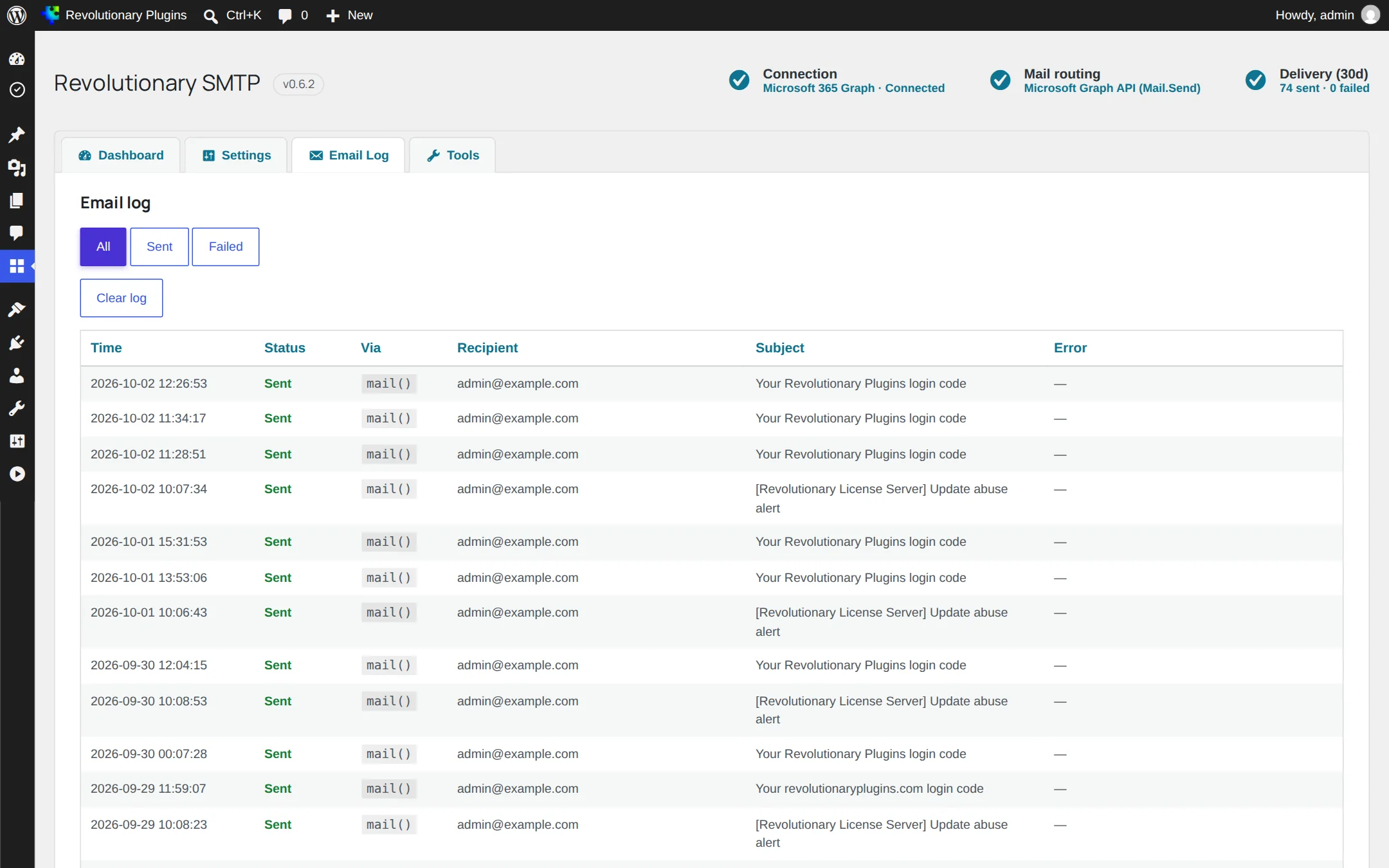
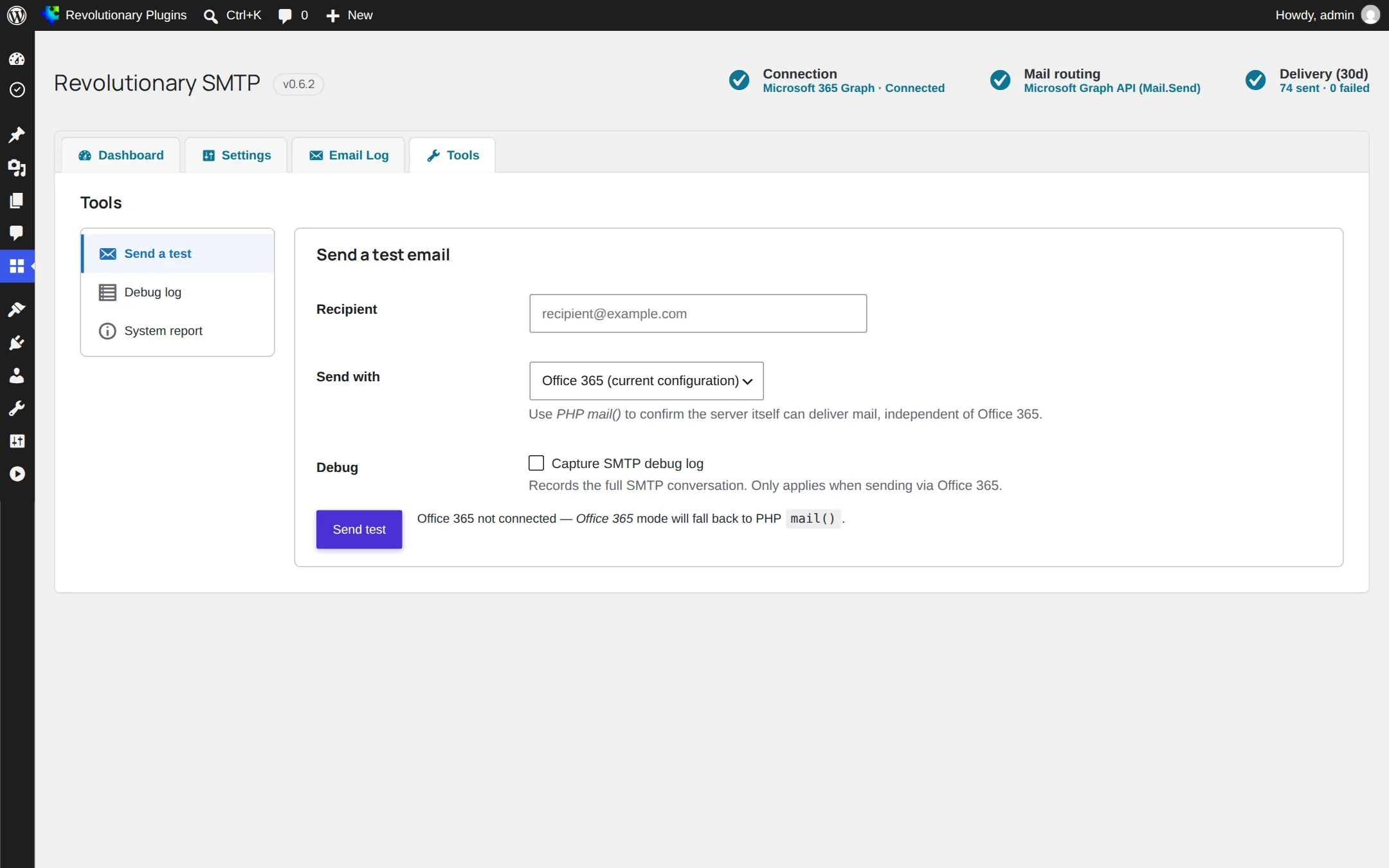
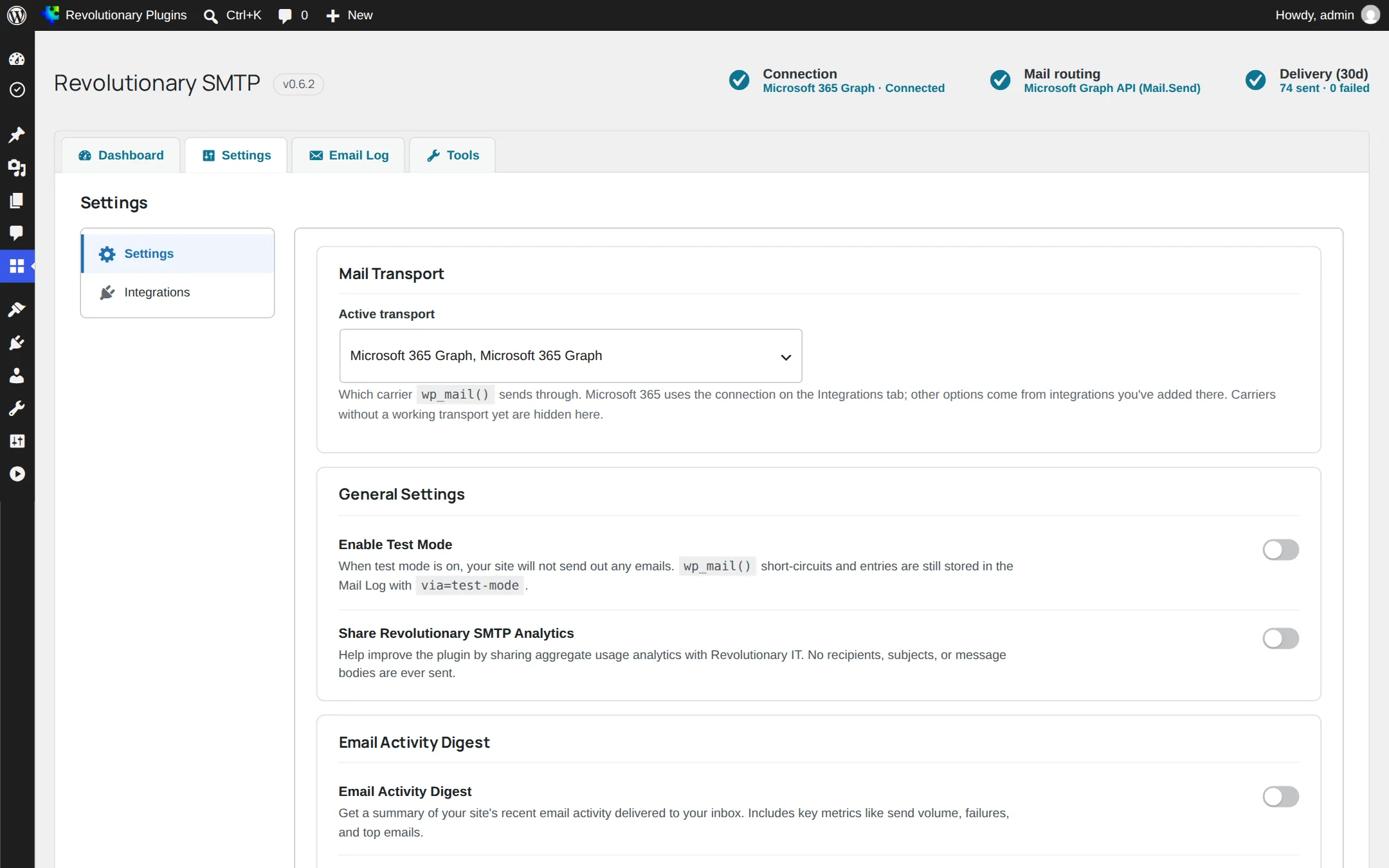
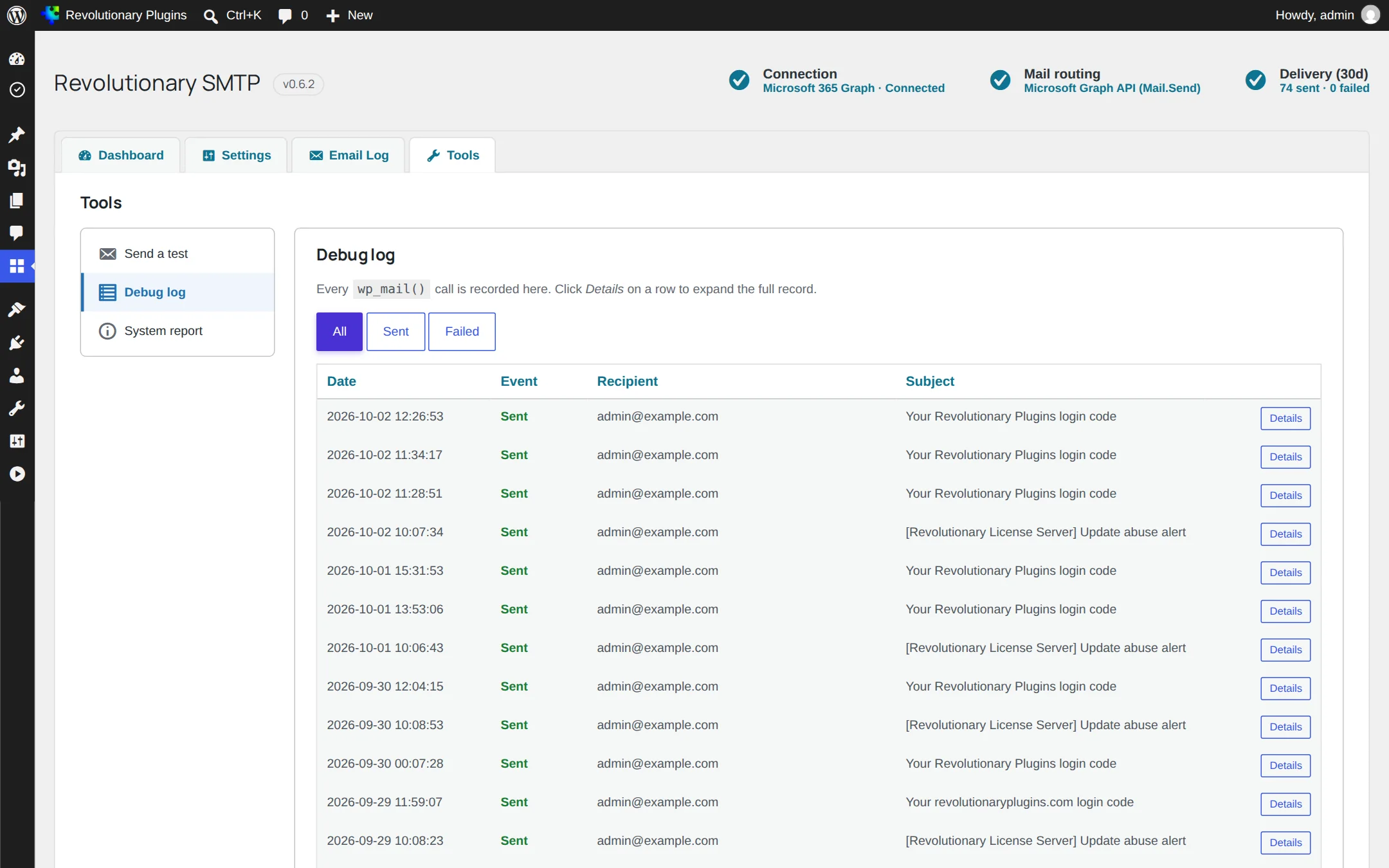
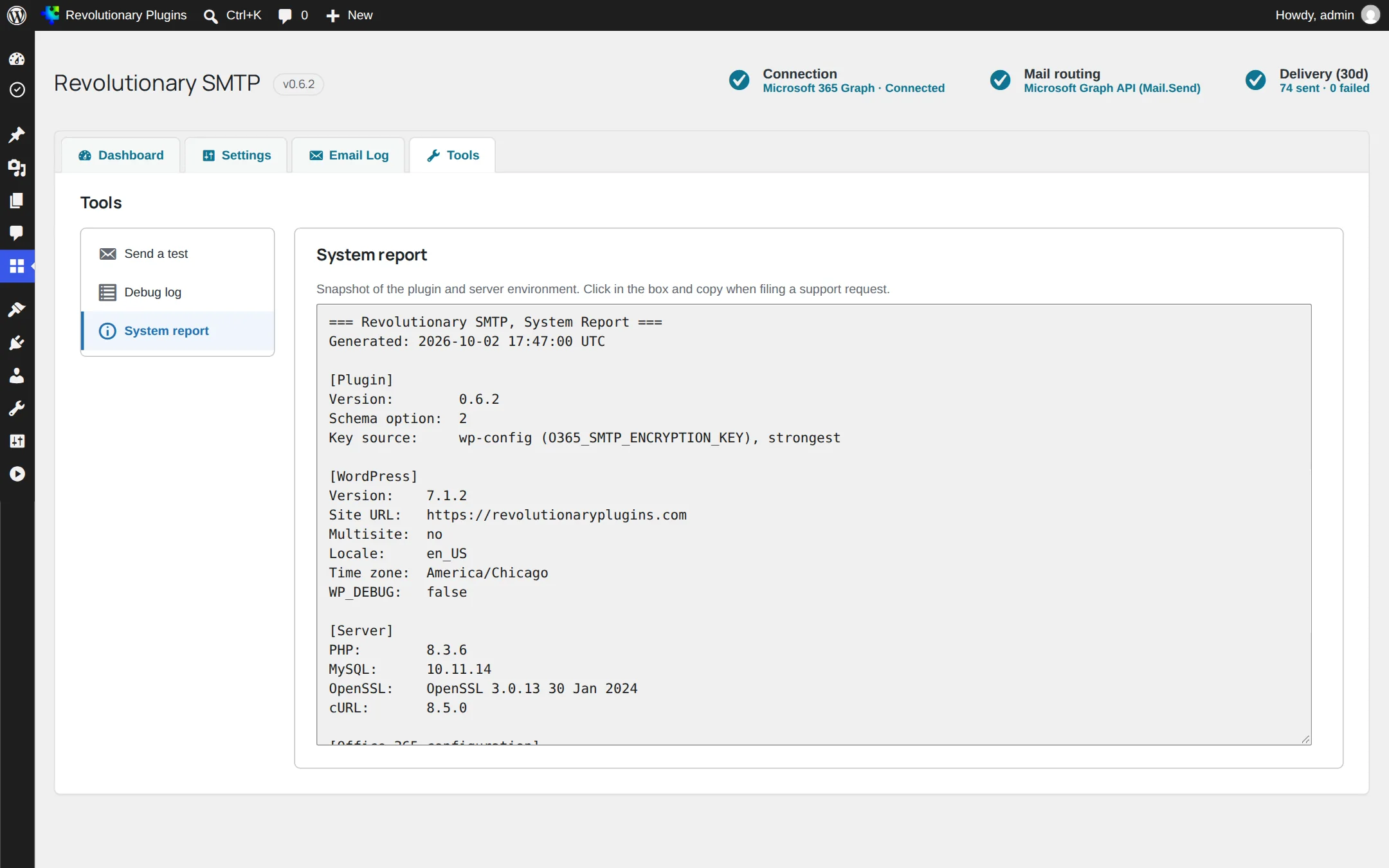
Four screens under Revolutionary Plugins, SMTP: the dashboard, settings with your connections, the email log and tools. A status chip on each one shows which connection is really in use.
Pillar 1
Connect to the provider you already use
Six ways to send, plus PHP mail() as a fallback. Save as many connections as you like and mark one active.
Pillar 2
See every message and every failure
Email problems are easy to fix once you can see them.
Pillar 3
Tools and safeguards
For testing, troubleshooting and keeping credentials safe.
Screens
Every screen, up close
Screenshots are examples; the current interface may differ. Click any screenshot to open it full size.
Release highlights
Selected earlier releases
See the full changelog for the latest releases.
Security hardening
Prepared database queries throughout the log, escaped pagination and sanitized error output. The audit found no exploitable issue.
Status you can trust
The status bar and dashboard now report the connection that is really active, instead of "Not configured".
Sent folder copies
Custom SMTP can save each message to the mailbox's Sent folder over IMAP. Unused providers were removed.
Automatic move to Graph
Working Microsoft 365 SMTP connections move to Graph on their own, and Graph authorization heals itself across sites.
Microsoft has most likely turned off SMTP sign-in on your tenant. Switch to the Microsoft 365 Graph connection, which does not use SMTP at all.
Yes, with the Graph connection. A shared mailbox needs no license and no password.
No. Admin consent is granted once per app for the whole tenant. Other sites using the same app check again on their own and show Authorized within about 15 minutes.
If it offers SMTP, and nearly all do, use the Custom SMTP connection with the host, port and credentials from your provider.
No. Sending is never blocked. The Revolutionary license, entered once in the Multipurpose Dashboard, turns on automatic updates.
30 days. Older rows are removed automatically, and you can clear the log at any time.
Works well with
Better together
Every plugin shares one license, one look and one support desk.
Stop wondering if the email went out.
Revolutionary SMTP is included with every Revolutionary license, together with all sixteen plugins and the Multipurpose theme.