

Revolutionary Forums · version 0.1.12
A real community forum, on one page of your site.
Add one shortcode and your members can start threads, reply, vote the best answers to the top, search, @mention each other, send private messages and get notified. It uses your existing WordPress accounts, so there is no second login.
- One shortcode handles every view: boards, threads, profiles, inbox and more
- Replies ranked by votes, so the best answer rises to the top
- On-site and email notifications, with each member choosing what they get
Released version 0.1.10
What the current release includes
Run boards, threads, search, mentions and private messages inside WordPress.
- Boards separately control who can see them and who can post. Moderators and administrators retain staff access.
- The Forum (full) Blocks widget embeds the interactive forum. A subscribers-only board depends on an active-license integration or an appropriate subscriber filter.
Why it exists
Your customers want to help each other. Give them a place to do it.
Most forum software is a separate app with its own accounts, its own theme and its own upkeep. Revolutionary Forums lives inside WordPress, looks like the rest of your site, and takes minutes to set up.
See it in action
Set it up in wp-admin. Let the community run it.
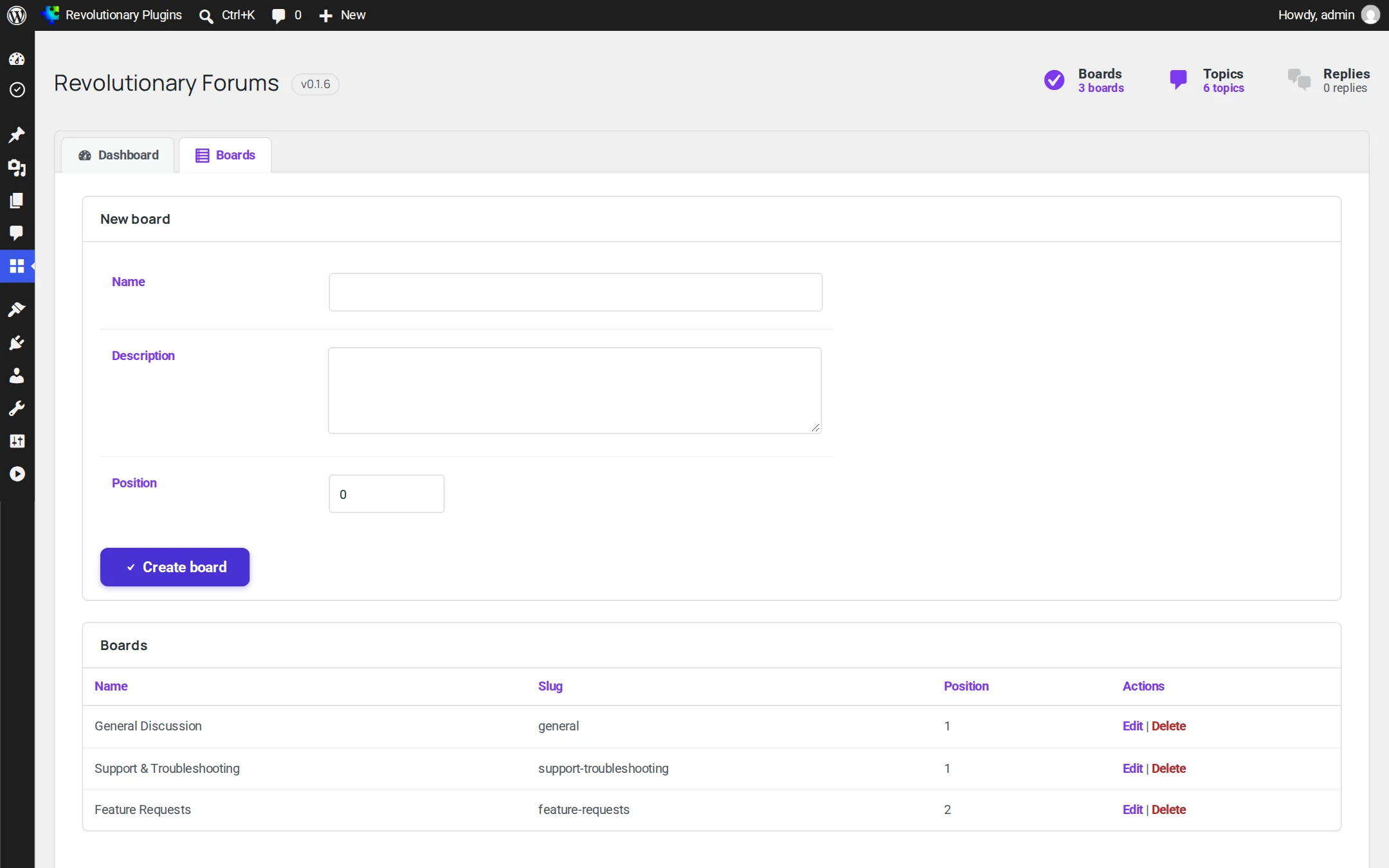
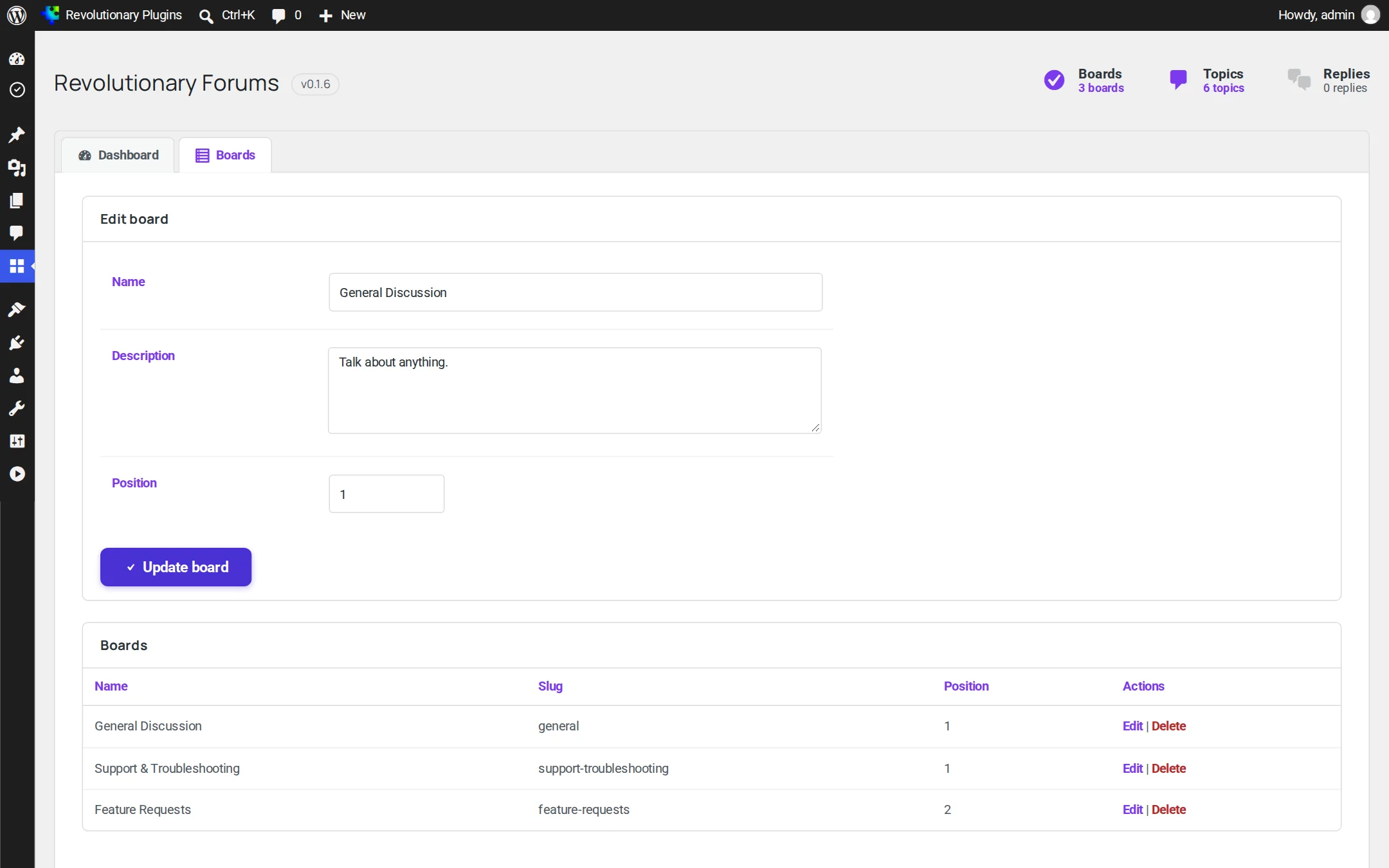
Admins manage boards from Revolutionary Plugins, Forums. Everything members do happens on the front end.
Discussion
Everything a community needs
The core of a good forum, without the bloat.
Staying in touch
Mentions, messages and notifications
Members know when someone replies, mentions them or writes to them, on the site or by email.
Safe and on-brand
Protected, and looks like your site
Sensible limits keep bots and floods out, and the forum picks up your theme's look.
Screens
Every screen, up close
Screenshots are examples; the current interface may differ. Click any screenshot to open it full size.
Release highlights
Selected earlier releases
See the full changelog for the latest releases.
Security hardening, notifications and pagination
Output escaping and input sanitizing from our code audit, plus pagination on every list, email notifications, per-member notification settings, and posting rate limits with a honeypot.
Theme heading font
Admin headings now use your theme's heading font.
Matching search button
The forum search button now matches your theme's call-to-action button.
Edit and delete your own posts
Authors can edit or delete their own threads and replies, with an edited marker.
No. One page with the shortcode handles boards, threads, search, profiles, messages, notifications and member settings.
Yes. Guests can browse and search, and are asked to log in when they want to post, reply or send a message.
No. Members use their normal WordPress accounts.
Not from the front end yet. Editing and deleting is limited to each post's author. Developers can extend it with the rforums_user_can_modify_post filter.
The forum honors pinned and locked threads (pinned threads list first, and locked threads refuse replies), but there is no screen to set them yet yet.
They are sent by WordPress's built-in scheduler, which runs when your site gets visits. On a quiet site, set up a real server cron job.
Works well with
Better together
Every plugin shares one license, one look and one support desk.
Give your community a home on your own site.
Revolutionary Forums is included with every Revolutionary license, together with all sixteen plugins and the Multipurpose theme.