

Documentation
Every plugin, every setting,
explained plainly.
Step-by-step guides for all 17 plugins and the Multipurpose Theme, written for the current releases and illustrated with real screens.
Getting started
Three steps to a licensed site
Step 1
Install
Download your plugins from your account, or install them from the Revolutionary Plugins menu once the theme is active. Upload through Plugins, Add New, Upload.
Step 2
Activate your license
Paste your bundle key once in Multipurpose Dashboard, Welcome. Every Revolutionary plugin on the site uses it for updates.
Step 3
Follow the guide
Each plugin has a quick start and a full reference below. Settings you do not touch keep safe defaults.
One complete workflow
From a contact form to your inbox.
See how Forms, Blocks and SMTP fit together before choosing a license. This setup walkthrough uses actual product screens; delivery must be verified with your own mail account.
Step 1
Build the form
In Forms, create a form with name, email and message fields. Set the required fields, notification recipient and visitor confirmation. Save the form.
Step 2
Put it on a page
In the Blocks editor, add the Form widget and select your saved form. Save and preview the page. An existing page can also embed the Forms shortcode.
Step 3
Connect your mail service
In SMTP, add your provider connection and make it active. Use a sender approved by that provider. Provider accounts, credentials and any usage charges are separate from the suite license.
Step 4
Verify the whole path
On your evaluation site, send a test to an inbox you control. Check the Forms entry, SMTP log and recipient inbox. A saved entry or successful log status alone does not prove inbox delivery.
Before you start: use a WordPress evaluation site with permission to install plugins, Forms and SMTP, plus Blocks if you want the visual editor. No AI add-on is required. The Multipurpose Theme supplies shared light and dark styles; it is not required for shortcode embedding.
Check SMTP test mode: it records messages without sending them. Keep staging messages away from real customers; use only an inbox you control when testing actual delivery. Read the test-mode setting.
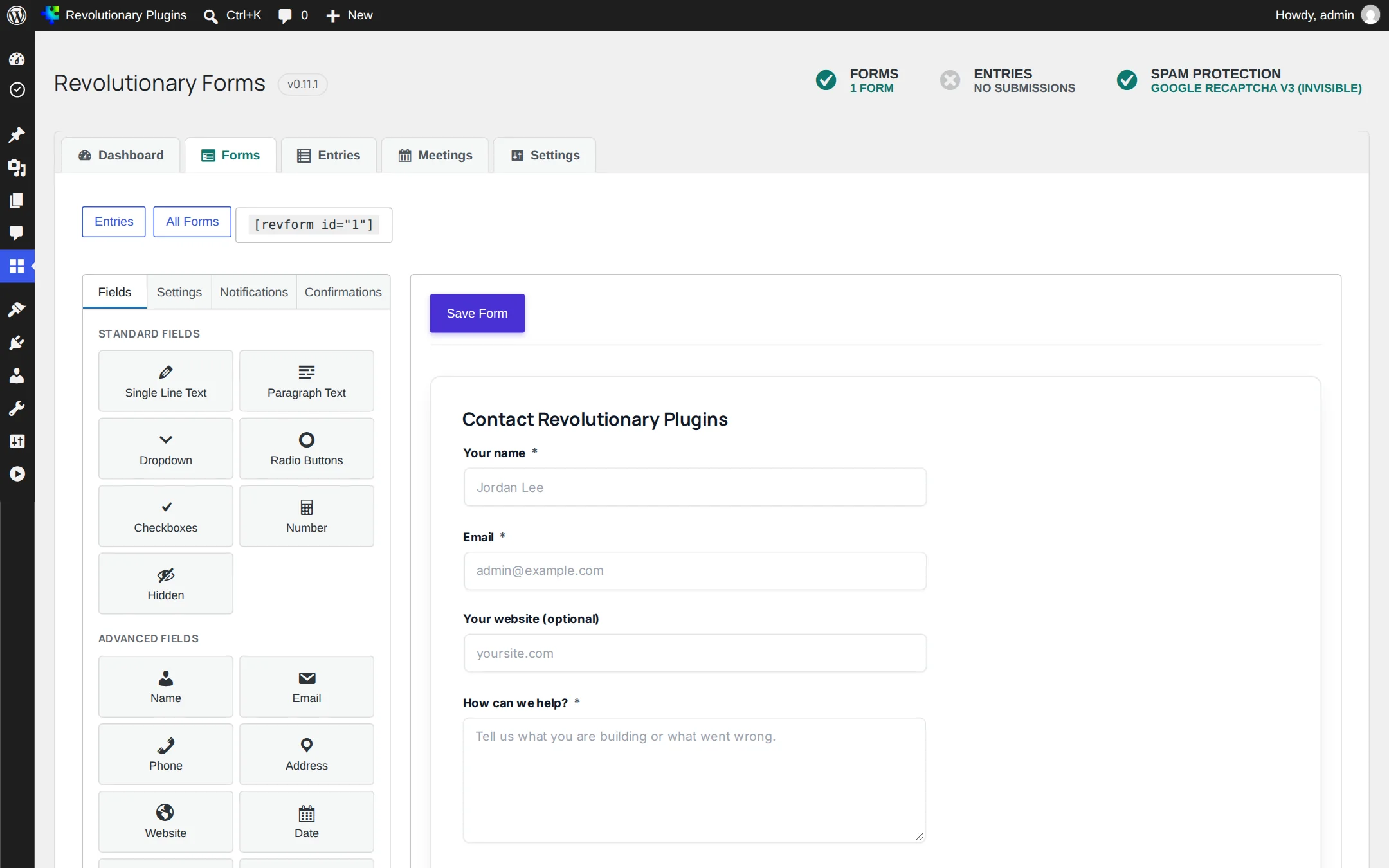
Build the form in Revolutionary Forms
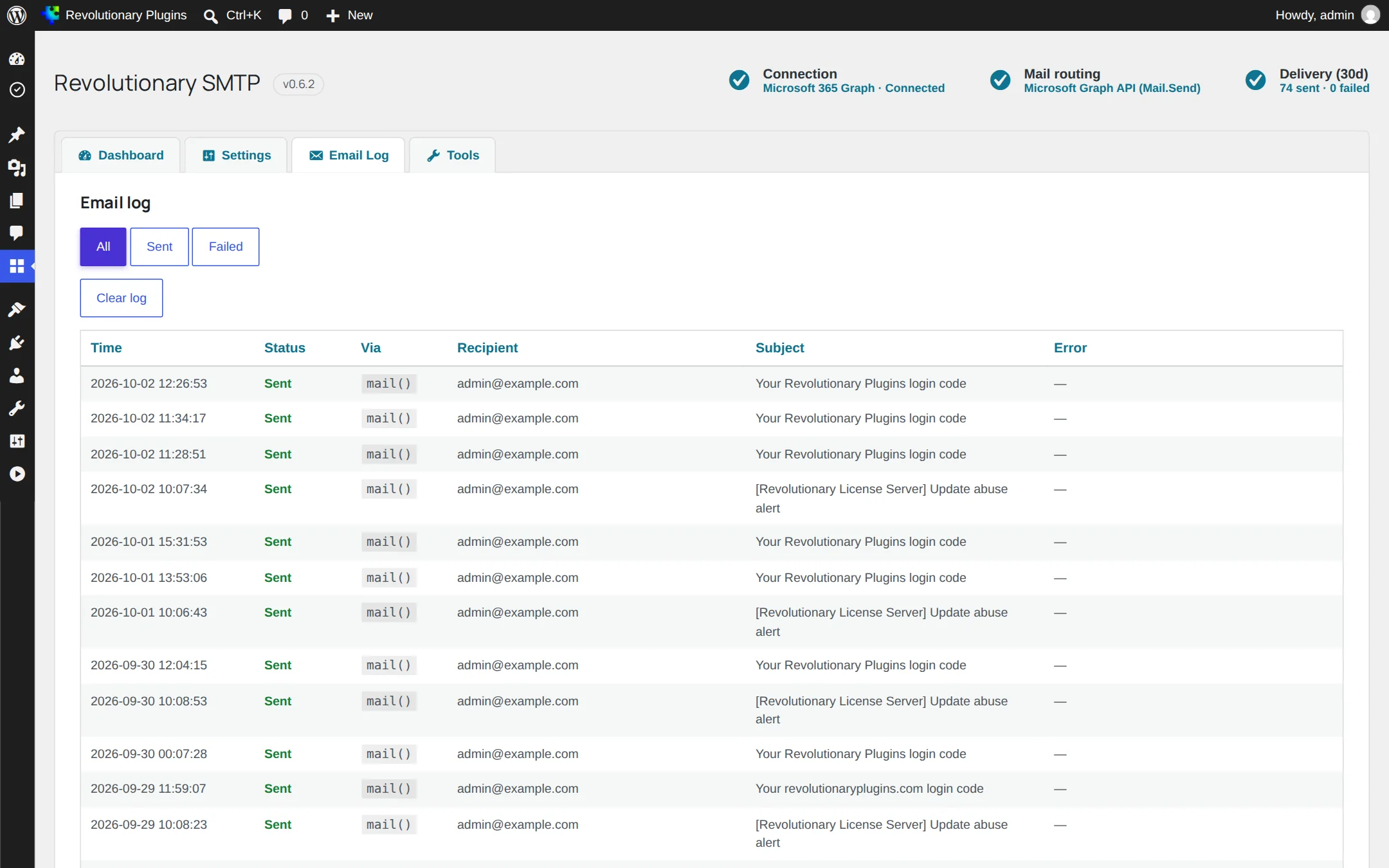
Inspect delivery attempts in Revolutionary SMTP
| Your starting point | What to evaluate |
|---|---|
| Keep an existing page or theme | Embed the Forms shortcode; test its appearance in your theme before changing the site. |
| Build the page visually | Use the Blocks Form widget with a saved Revolutionary form. |
| Use an existing mail provider | Choose a supported SMTP/API connection and verify the sender and a real recipient inbox. |
| Move from another form plugin | Check the Importer source list and inspect converted fields and notifications before replacing the old form. |
Find an answer
Search the guides
Search product names, settings and troubleshooting terms across the guides and other site pages.
Guides
Protect and recover
02
Build and design
03
Sell and support
04
Grow and communicate
Theme
Multipurpose Theme
Could not find it?
Ask in the community forums or open a ticket. The people who wrote the code will answer.