
Documentation · Revolutionary Forums 0.1.12
Revolutionary Forums, set up and explained.
How to create your forum page and boards, what members can do on the front end, how notifications and messages work, and the options for developers.
Released version 0.1.10
Current release setup and checks
Run boards, threads, search, mentions and private messages inside WordPress.
- Boards separately control who can see them and who can post. Moderators and administrators retain staff access.
- The Forum (full) Blocks widget embeds the interactive forum. A subscribers-only board depends on an active-license integration or an appropriate subscriber filter.
Check your setup
- Set Who can see it and Who can post on the Boards screen.
- Use guest, member and subscriber test accounts to check the board, search results and posting permissions.
Quick start
Up and running in minutes
Step 1
Install and activate
Upload the plugin or install it from the Revolutionary Plugins menu. The forum's database tables are created for you.
Step 2
Create the forum page
Add a page, place the [revolutionary_forums] shortcode on it, and publish.
Step 3
Add your boards
Revolutionary Plugins, Forums, Boards. Create one board for each topic you want members to discuss.
Step 4
Invite members
Anyone with a WordPress account on your site can post. Guests can read.
On this page
Start here
Getting started
The admin side lives under Revolutionary Plugins, Forums and needs administrator rights. Everything members do happens on the page that holds the shortcode.
What activation does
Creates six database tables for boards, threads, replies, messages, notifications and votes. Forum content is kept out of your posts table.
License and updates
Updates come from revolutionaryplugins.com under your Revolutionary license. Enter the key once in Multipurpose Dashboard, Welcome. The plugin works without a license; only updates and support depend on it.
- 1. Create a page (for example, Community).
- 2. Add the [revolutionary_forums] shortcode and publish.
- 3. Go to Forums, Boards and create your first board.
- 4. Visit the page, sign in, and start the first thread.
Overview
The dashboard
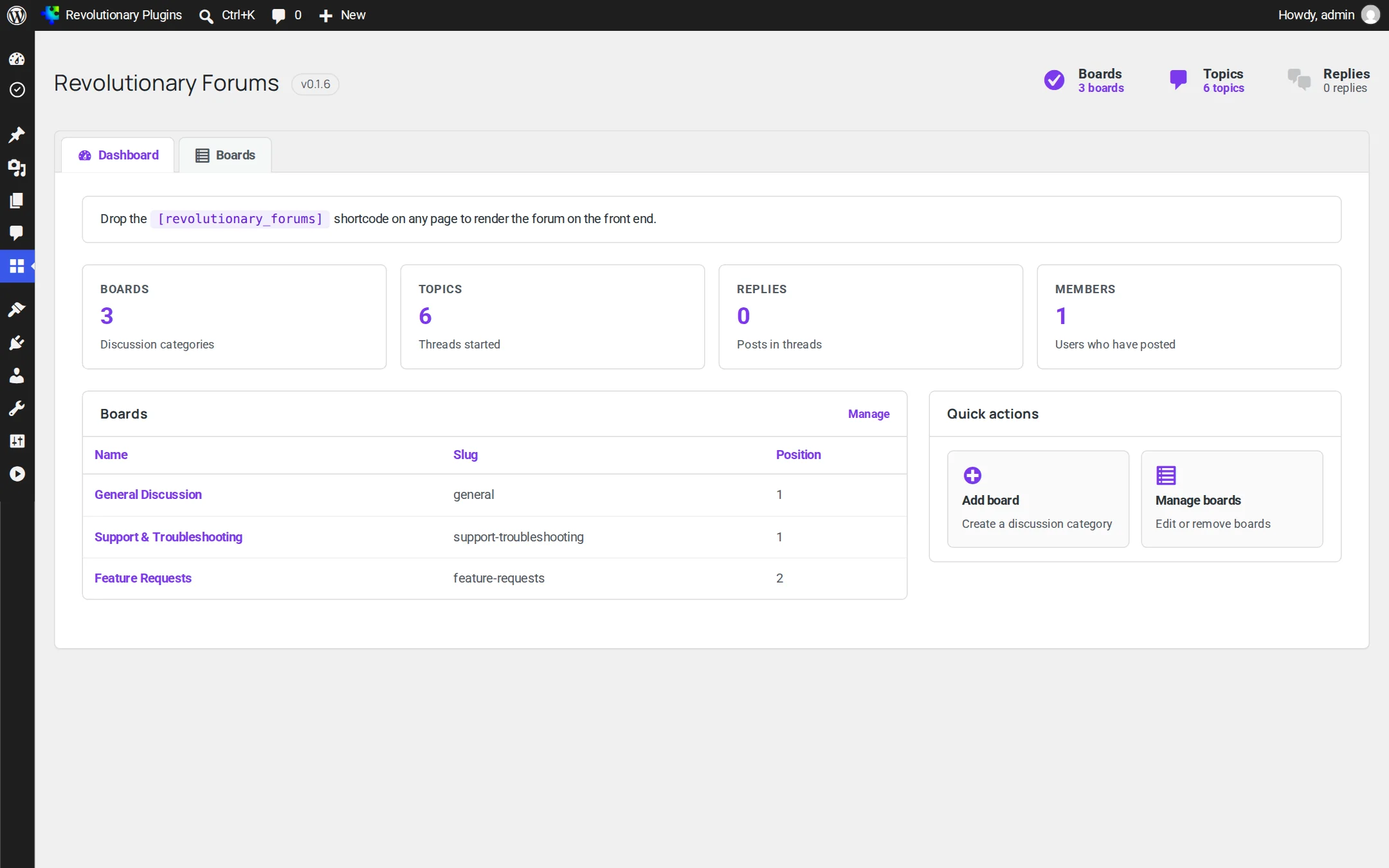
Counts for boards, topics, replies and members, your board list, and quick actions to add or manage boards. Members here means people who have posted at least once.
Structure
Boards
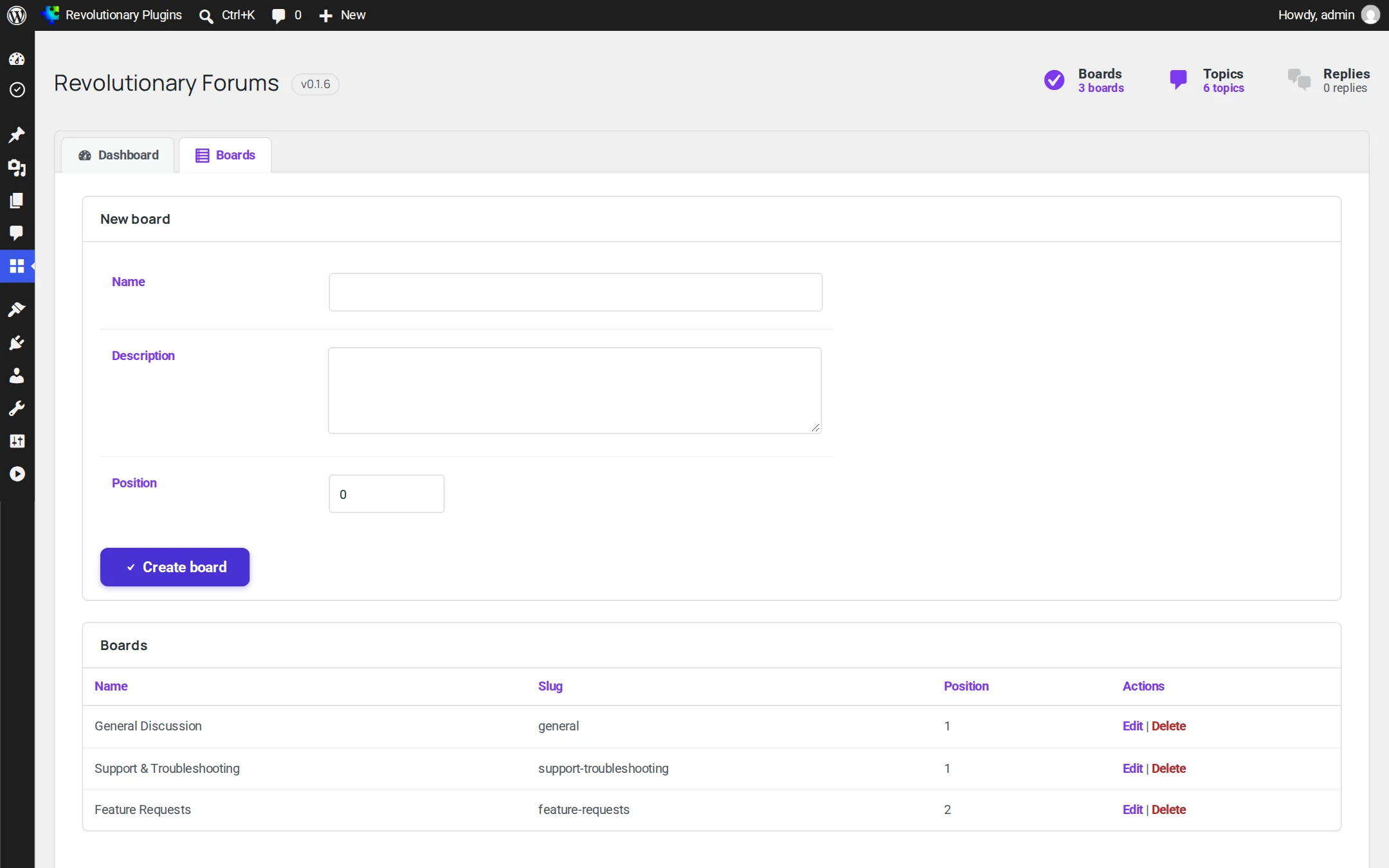
Boards are the top-level topics of your forum.
| Field | What it does |
|---|---|
| Name | The board's title; its slug is made from the name |
| Description | A short line shown under the name in the board list |
| Position | Lower numbers list first |
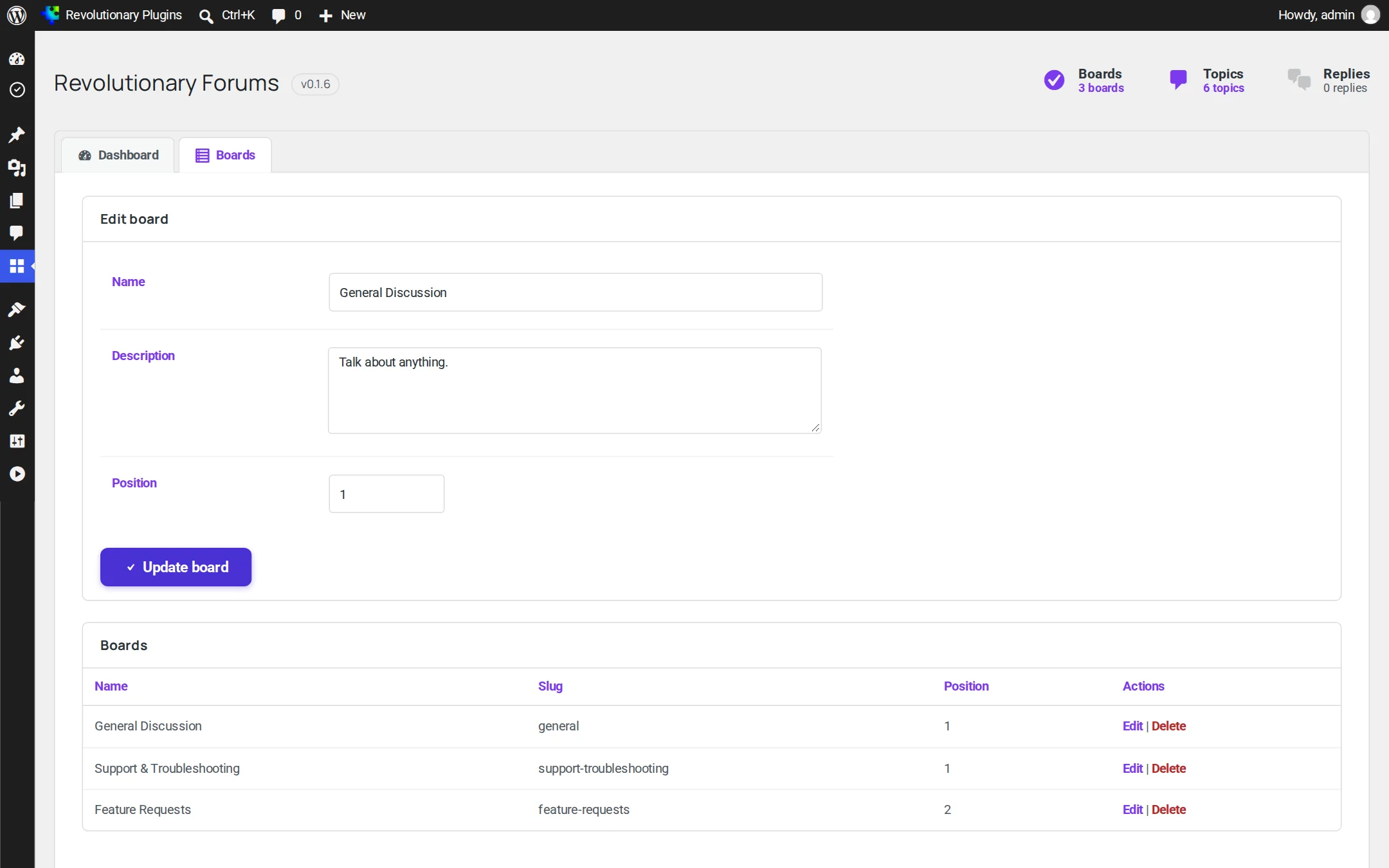
Use Edit in the boards table to change a board.
Board access
On Forums, Boards, set Who can see it separately from Who can post. Visibility can allow everyone, signed-in members or subscribers. Posting can allow signed-in members, subscribers or staff. Moderators and administrators retain access. Subscriber status depends on the active-license integration or the revolutionary_forums_is_subscriber filter; without it, only staff qualify. Test the board, search and posting as each intended audience.
Front end
Your forum page
The shortcode shows a navigation bar and the board list. From there members move between views without leaving the page.
| View | What members see |
|---|---|
| Boards | Every board with its description |
| Board | Threads in that board, pinned first, then by latest activity |
| Thread | The opening post, then replies sorted by votes and date |
| Search | Matching threads and replies with the terms highlighted |
| Profile | A member's avatar, join date, post counts and recent activity |
| Inbox and conversations | Private messages, with an unread badge |
| Compose | A new private message |
| Notifications | Replies and mentions, with links to each one |
| Settings | The member's notification choices |
Signed-in members can start threads and reply. Replies can be voted up or down, one vote per member, never on your own post.
Finding things
Search, profiles and mentions
Search
Searches thread titles, opening posts and replies together and highlights the matches.
Profiles
Click any member's name to see their profile with thread, reply and total post counts and their recent activity.
Mentions
Type @username in a post. The name becomes a link to that member's profile and they receive a notification.
One to one
Private messages
Members can write to each other privately. Compose a message to a username or an email address, then continue in a threaded conversation. An unread badge in the forum navigation shows new messages.
Staying in touch
Notifications and member settings
Members are notified about replies to their threads and about mentions.
- On-site notifications show an unread badge and link to the exact reply.
- Email notifications are queued and sent in the background by WordPress's scheduler, each with a link to turn them off.
- In their Settings view, each member chooses on site, email, both or neither for every notification type.
Safety
Spam and abuse protection
Built-in limits keep automated posting out without getting in real members' way.
| Action | Minimum time between |
|---|---|
| New thread | 30 seconds |
| Reply | 15 seconds |
| Private message | 10 seconds |
| Vote | 1 second |
A hidden honeypot field on every content form catches bots. Every write checks a security token, the member's login and, for edits and deletes, that the member owns the post.
Look and feel
Styling and widgets
The forum uses your theme's body font and button styles, so it looks like the rest of your site with no extra setup.
Revolutionary Blocks widgets
- Forums: a board list, recent threads across all boards, or recent threads in one board.
- Forum Boards: the board list.
- Recent Threads: the latest discussion.
- Forum Search: a search box that opens results on your forum page.
Chat Bot integration
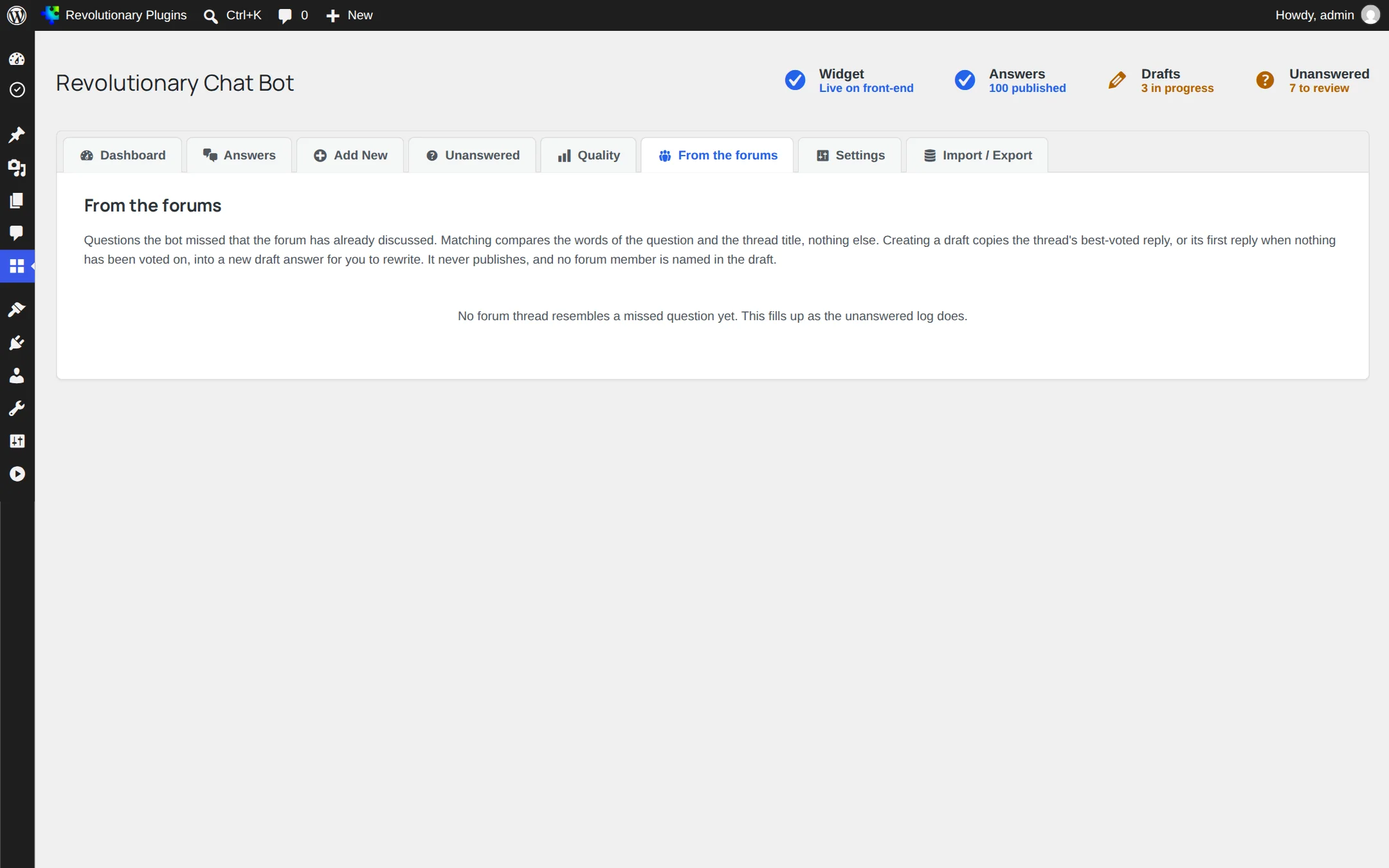
With Revolutionary Chat Bot active, its From the forums screen suggests threads that match questions the bot missed and drafts answers from the best voted reply.
Reference
Shortcode and filters
Shortcode
[revolutionary_forums] takes no attributes. Views are chosen with rf_view and related query arguments on the same page.
Filters
- rforums_per_page: items per page (20 by default).
- rforums_rate_limits: seconds between threads, replies, messages and votes.
- rforums_user_can_modify_post: let moderators edit or delete other members' posts.
- rforums_notification_types and rforums_default_notification_prefs: notification types and defaults.
- rforums_notification_email: change the notification email before it is sent.
There are no WP-CLI commands.
Troubleshooting
Common questions
Check that the page contains the [revolutionary_forums] shortcode and that at least one board exists under Forums, Boards.
Posting requires a signed-in WordPress account. Also check whether they hit a rate limit, such as posting two replies within 15 seconds.
There is no control for it yet. Pinned and locked threads are honored if the flag is set, but no screen sets it.
Not from the front end in this version. A developer can grant it with the rforums_user_can_modify_post filter.
The forum's tables are left in the database, so your boards, threads and messages are still there if you reinstall.
Stuck on something?
Search the forums, open a ticket, or write to us. A real person reads every message.