

Documentation · Revolutionary Chat Bot 0.16.16
Revolutionary Chat Bot, from first answer to fewer tickets.
How to write answers the bot can match, set up the widget, read the dashboard, and turn the questions it misses into new answers, tickets and bookings.
Released version 0.16.9
Current release setup and checks
Answer visitors from a WordPress knowledge base, with optional AI wording through the Multipurpose theme.
- Settings includes AI: Use AI for this assistant. Turning it off stops natural wording and training drafts.
- Provider keys and models are configured in the Multipurpose Dashboard AI tab. The plugin no longer has its own provider, endpoint or key fields.
Check your setup
- Publish a test answer and check matching with AI switched off first.
- For optional AI, select the Chat Bot provider in the theme, then check Settings and Training for connection status. A hosted provider receives the question and matched answer.
Quick start
Up and running in minutes
Step 1
Install and activate
Upload the plugin or install it from the Revolutionary Plugins menu. A few example answers are created as drafts.
Step 2
Write 10 to 20 answers
Chat Bot, Add New. Start with the questions your inbox sees every week. Publish or delete the examples.
Step 3
Make it yours
Chat Bot, Settings. Set the name, greeting, fallback message, placement and accent color.
Step 4
Check back weekly
Open Unanswered, turn real questions into drafts, and let the Quality screen tell you what to improve.
On this page
Start here
Getting started
Everything is under Revolutionary Plugins, Chat Bot in wp-admin. The pill navigation at the top of each screen links Dashboard, Answers, Add New, Unanswered, Quality, Settings and Import / Export (and From the forums when Revolutionary Forums is active).
What activation does
- Creates a few example answers, saved as drafts so nothing goes live until you publish it.
- Installs the shared Revolutionary Plugins menu helper.
- Turns on the floating chat widget on every page (you can turn it off in Settings).
License and updates
Updates come from revolutionaryplugins.com under your Revolutionary license. Enter the key once in Multipurpose Dashboard, Welcome. The plugin keeps working without a license; only updates and support depend on it.
Who can do what
Anyone who can edit posts can manage answers and read the Dashboard, Unanswered and Quality screens. Settings and Import / Export need administrator rights.
Overview
The dashboard
A quick read on how the bot is doing, with quick actions and your most recent answers.
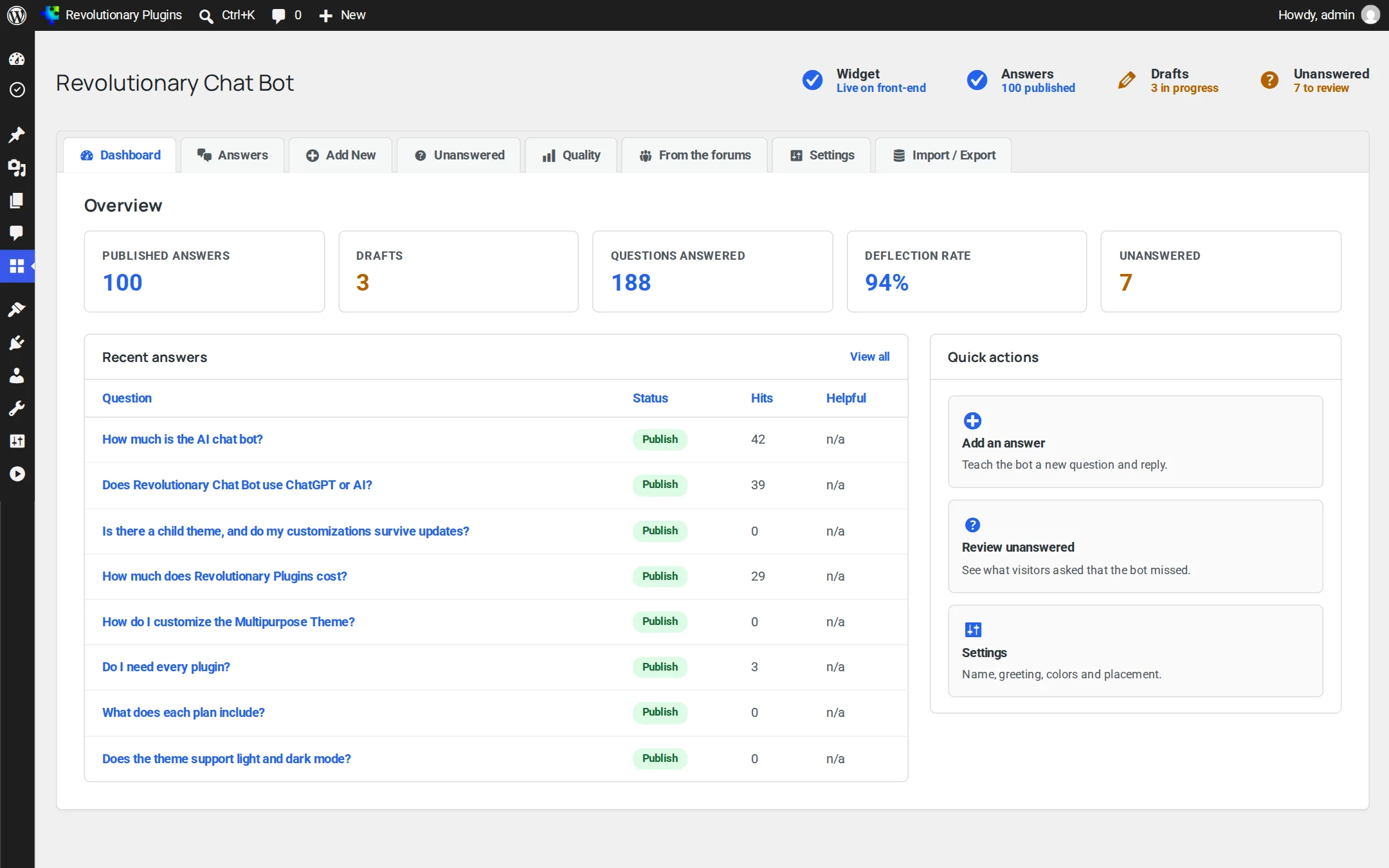
| Figure | What it counts |
|---|---|
| Published answers | Answers the bot can use right now |
| Questions answered | Confident answers only; suggestions and fallbacks are not counted |
| Deflection rate | Questions answered divided by questions asked |
| Helpful votes | Thumbs up from visitors |
Knowledge base
Writing answers
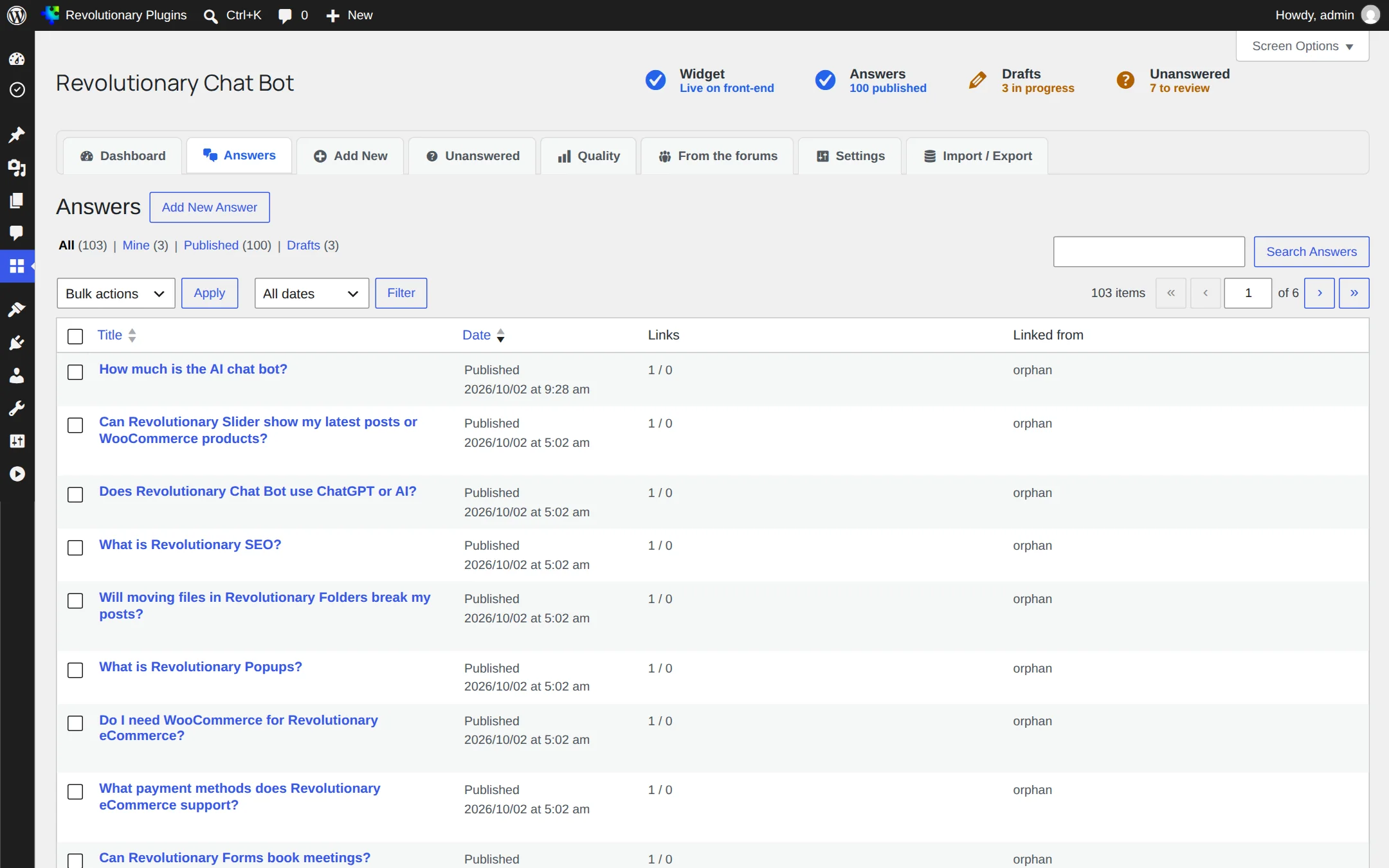
Each answer is a private post that only the bot and your answers page can show. The Answers list shows how often each one was served and how visitors rated it.
The fields
| Field | What to put in it |
|---|---|
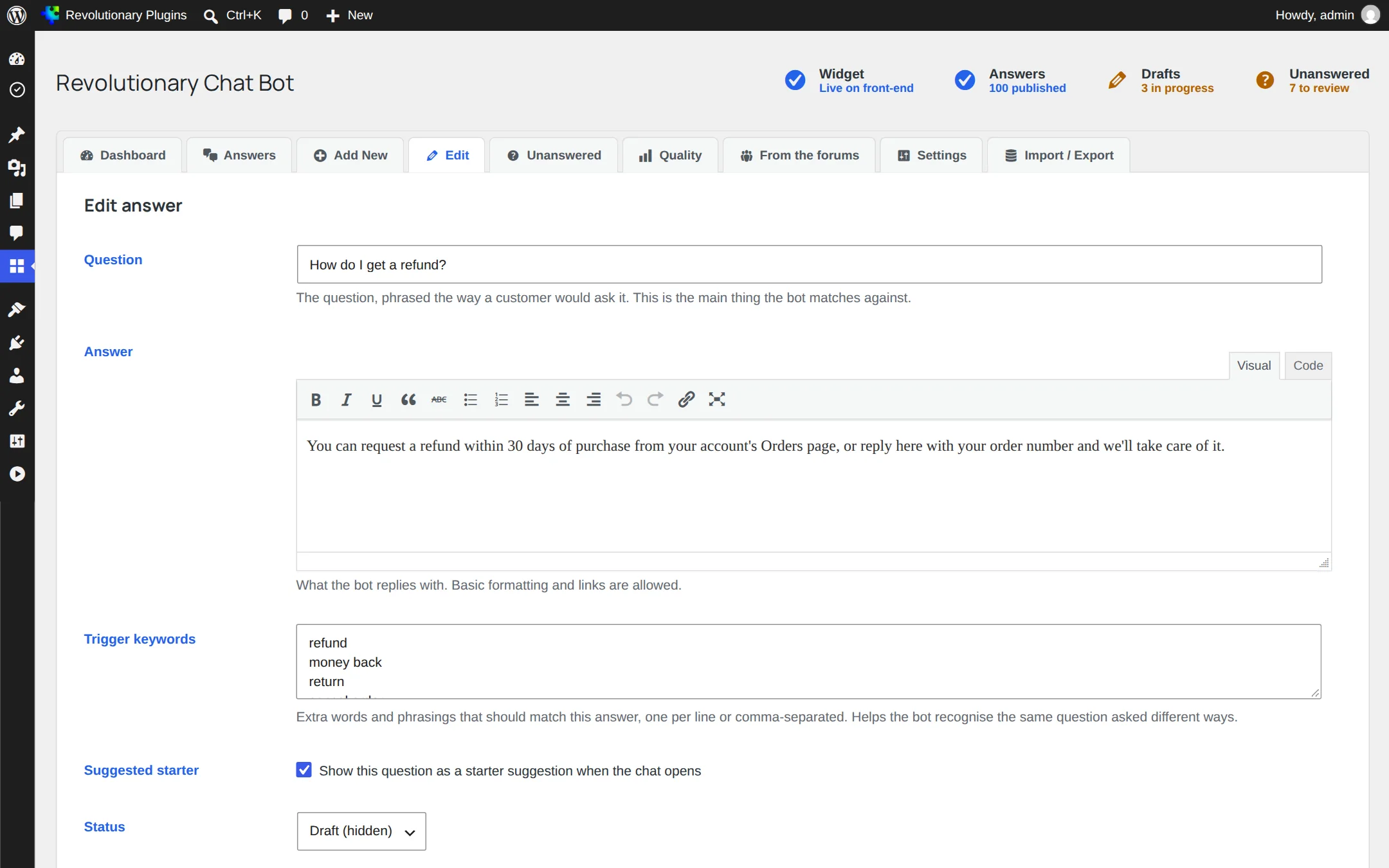
| Question | The question as a customer would type it, for example "How do I get a refund?" |
| Answer | Your reply. Basic formatting and links are allowed. |
| Trigger keywords | Extra words or phrases that should lead here, one per line or separated by commas. Multi-word phrases work. |
| Suggested starter | Shows the question as a tappable chip when the chat opens |
| Status | Published answers are live; drafts are ignored by the bot |
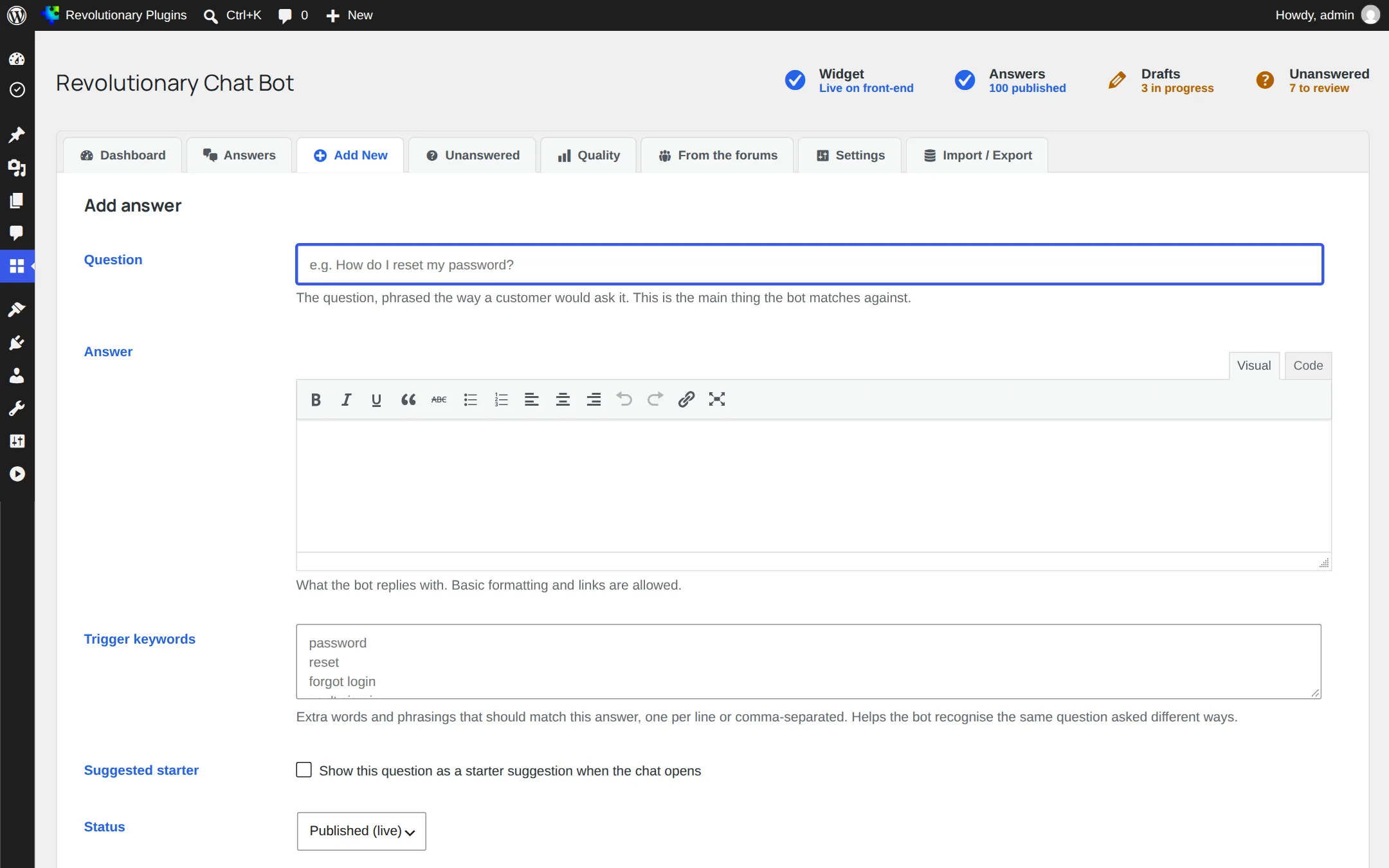
Answers open in the plugin's own editor rather than the block editor, so writing one takes a few seconds.
Under the hood
How matching works
The bot does not generate text. It compares the visitor's question with your questions and trigger keywords, entirely in PHP on your server, and replies with one of your answers or says it is not sure.
- Only content words count. Filler words such as "the", "please" or "actually" are ignored.
- Light stemming treats price, prices and pricing as one word.
- A one-letter typo is forgiven, as are common misspellings of question words like "hwo" and "wher".
- Synonym groups from Settings are treated as the same word.
- The question's shape matters: asking about the bot, asking for a person, a comparison, a limit or a capability are told apart.
The four outcomes
| Outcome | When it happens |
|---|---|
| Answer | One answer is a clear, confident match |
| Answer and name the question | A good match, but not a certain one, so the reply says which question it is answering |
| Which did you mean? | Two or more answers are too close to call, so the visitor picks one |
| Fallback | Nothing clears the match threshold; your fallback message is shown and the question is logged |
Small talk
Thanks, goodbye, "are you a bot" and similar messages get a built-in reply. If you write an answer for one of these, yours is used instead.
Configuration
Settings
Chat Bot, Settings controls the widget, the persona, the messages and the matching.
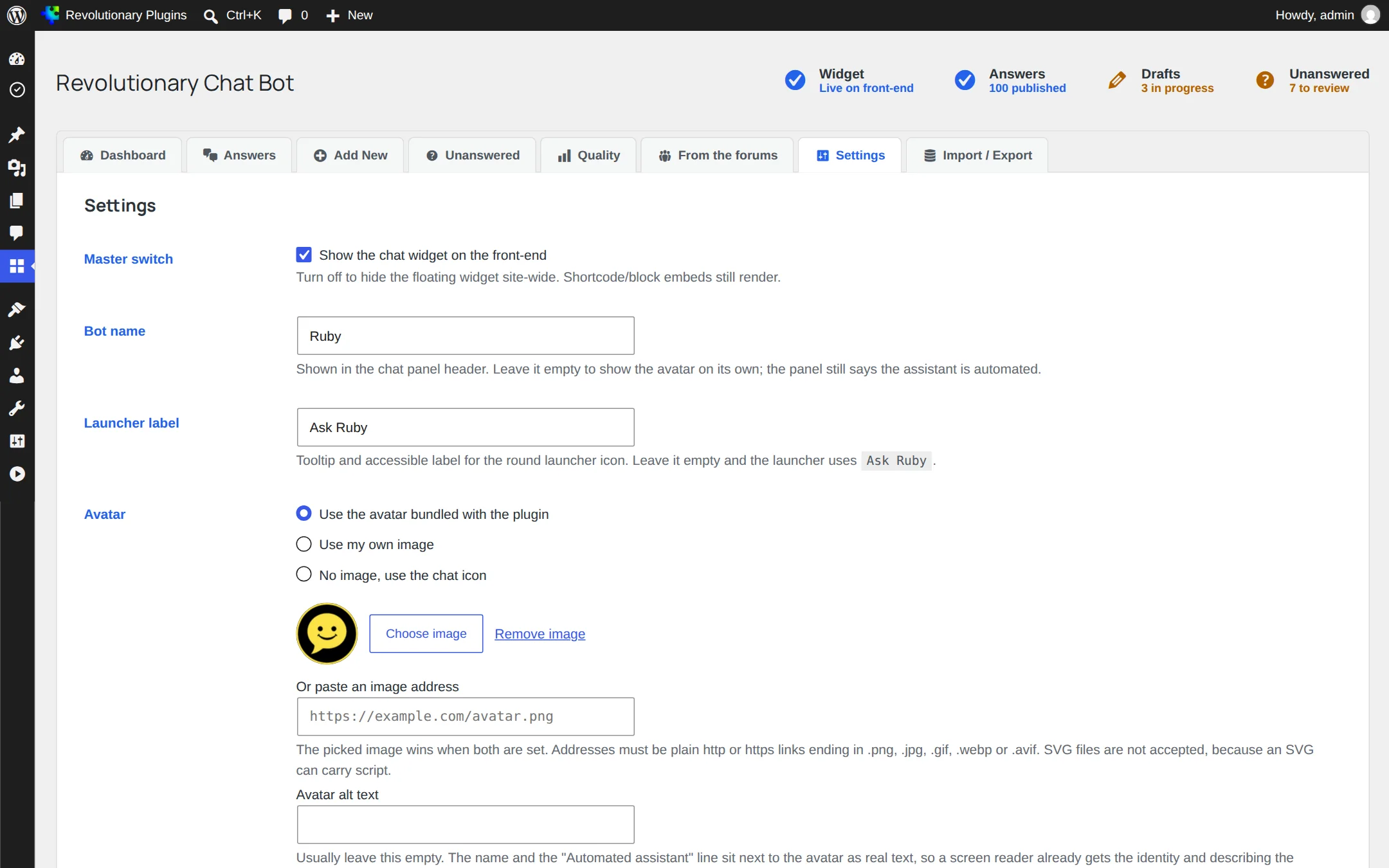
| Setting | Default | What it does |
|---|---|---|
| Enable globally | On | Shows the floating widget on every page |
| Assistant name | Assistant | The name shown in the chat panel |
| Launcher label | Ask Assistant | Text on the floating button (Ask plus the assistant name) |
| Avatar | Bundled image | Bundled image, Media Library image, image URL, or none, with optional alt text |
| Greeting | A short welcome | First message when the chat opens |
| Fallback message | Suggests rephrasing | Shown when no answer matches |
| Input placeholder | Type your question | Hint text in the message box |
| Position | Bottom left | Bottom left or bottom right |
| Accent color | Theme accent when available | Launcher and highlight color; a deliberately selected custom color is retained |
| Match threshold | 0.3 | How close a match must be to answer (0.05 to 1.0) |
| Log unanswered questions | On | Keeps missed questions for review |
| Synonyms | Starter set | One group per line, separated by commas |
The default synonym groups cover refund, cancel, password, delivery, human, invoice and hours. Clear the field to go back to them.
Shared theme connection
Optional AI and Training
The standard matcher works without AI. Optional wording and training drafts use the Multipurpose theme connection.
- 1. Open Multipurpose Dashboard, AI and configure an approved provider and model.
- 2. Under Which AI each plugin uses, select the Chat Bot provider or keep the default. Off disables AI for this plugin.
- 3. Open Chat Bot, Settings. Review AI: Use AI for this assistant and the displayed model status.
- 4. Check Training for connection status, review draft answers before publishing and test wording with fictional questions.
What leaves the site
Hosted AI receives the question and matched answer for wording. Review the provider terms and avoid real customer data in tests. Turning AI off stops both wording requests and training drafts.
The plugin no longer offers its own provider, Ollama endpoint, model list or API-key fields. Without the Multipurpose theme, optional wording and drafting are unavailable. The standard matcher remains available.
Integrations
Turning misses into outcomes
When the bot falls back, it can offer the visitor a next step. Both options live in Settings.
Offer to open a ticket
Requires Revolutionary Ticketing. A missed question can be turned into a ticket in one click. It goes through Ticketing's own form handler, so the same checks and protections apply.
Offer to book a call
Adds a link to your booking page (/contact/#book-call by default). With Revolutionary Forms, set the Booking topic key and Booking message field, and the visitor's question is passed along to prefill the form.
Improve
The Unanswered log
The most recent 200 questions the bot could not answer, newest first, with how many times each was asked.
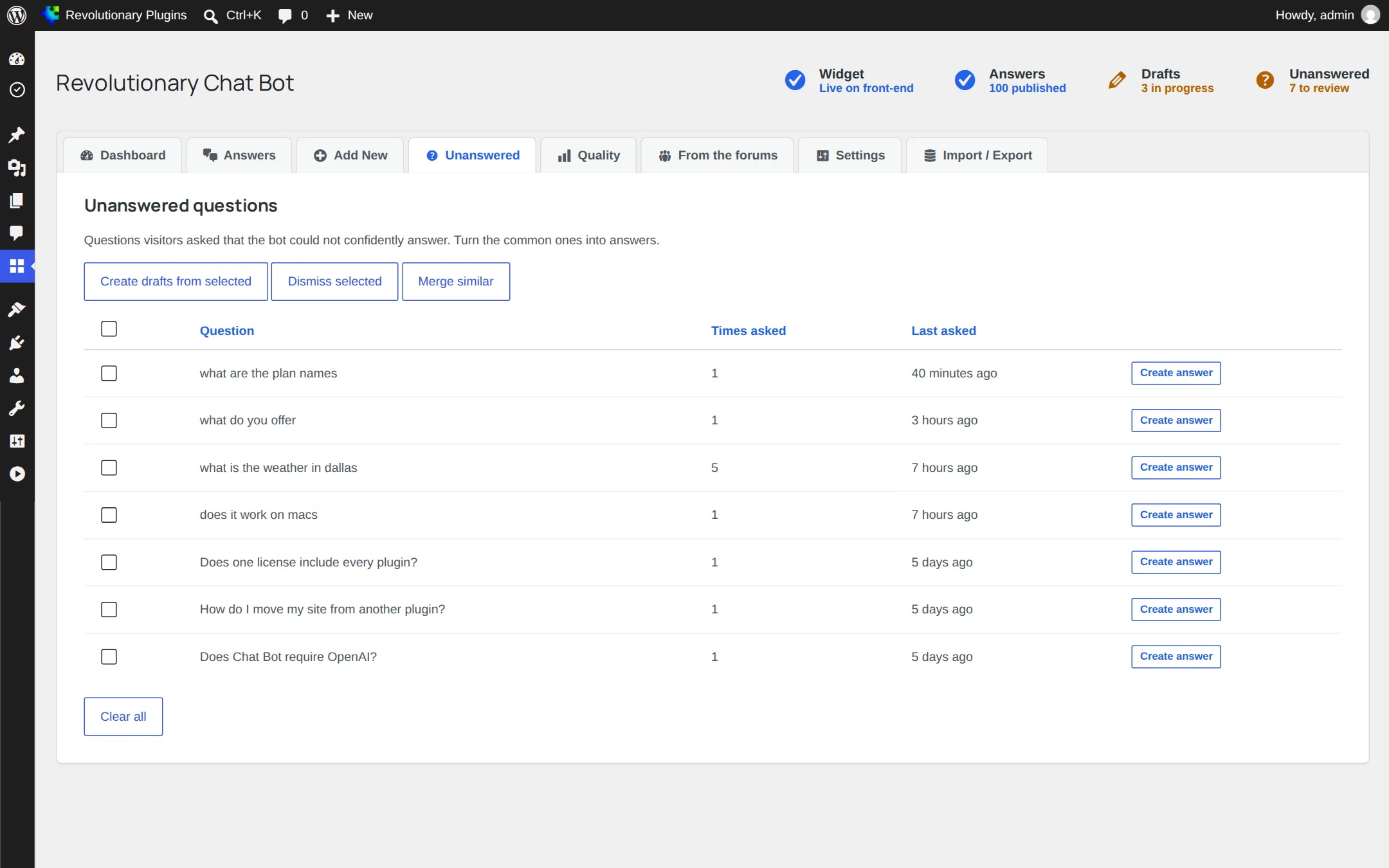
- 1. Open Chat Bot, Unanswered.
- 2. Use Merge similar to fold near-duplicates together.
- 3. Select the questions worth answering and choose Create drafts from selected.
- 4. Write the answers, publish them, and dismiss the rest.
Improve
Quality
What the bot is getting wrong, read from the hits and votes it already records.
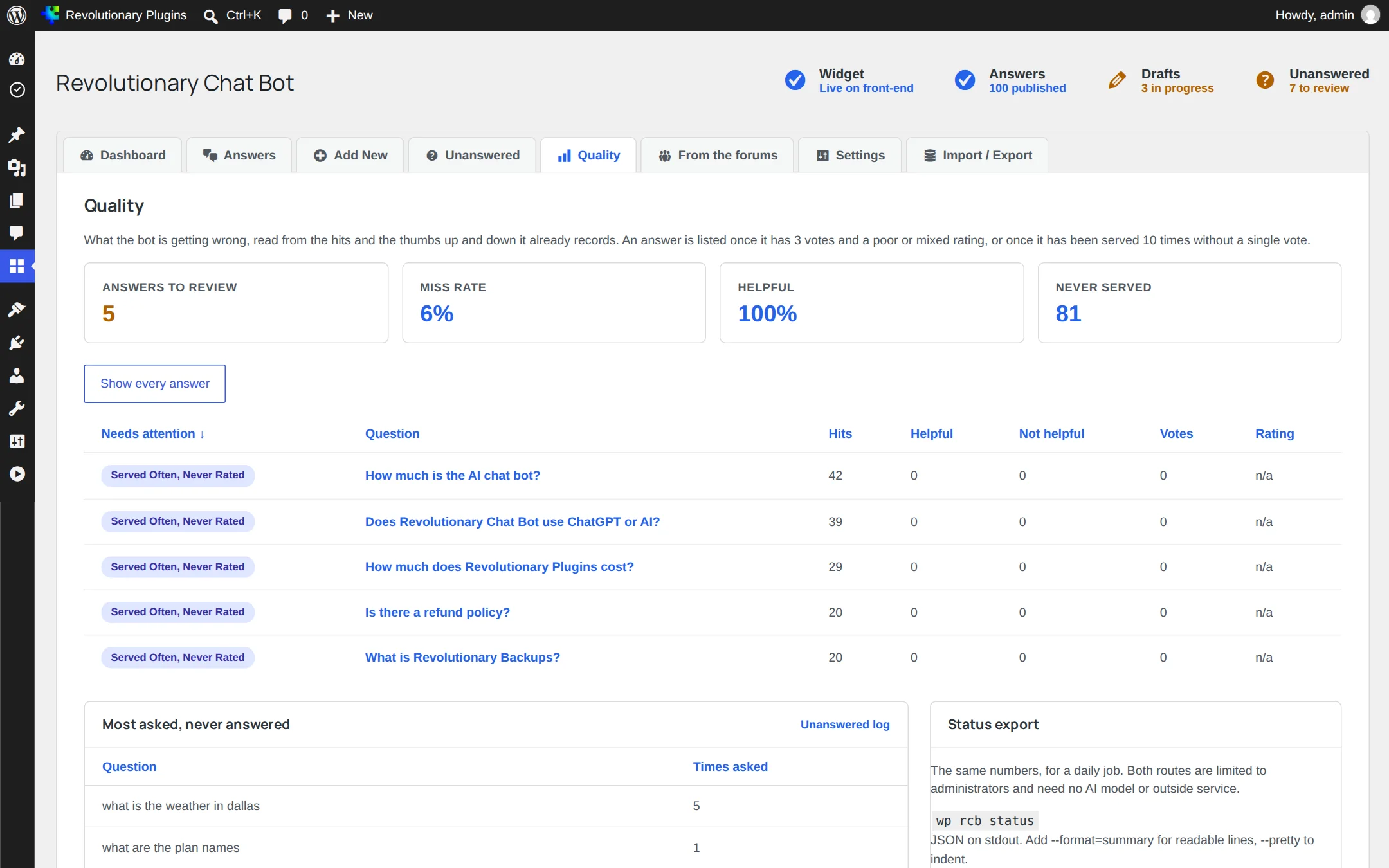
- An answer is flagged once three or more votes rate it poor or mixed.
- An answer is also flagged after being served ten times without a single vote.
- Miss rate and helpful rate across all questions.
- Answers that have never been served.
- The most asked questions the bot never answered.
With Revolutionary Forums
From the forums
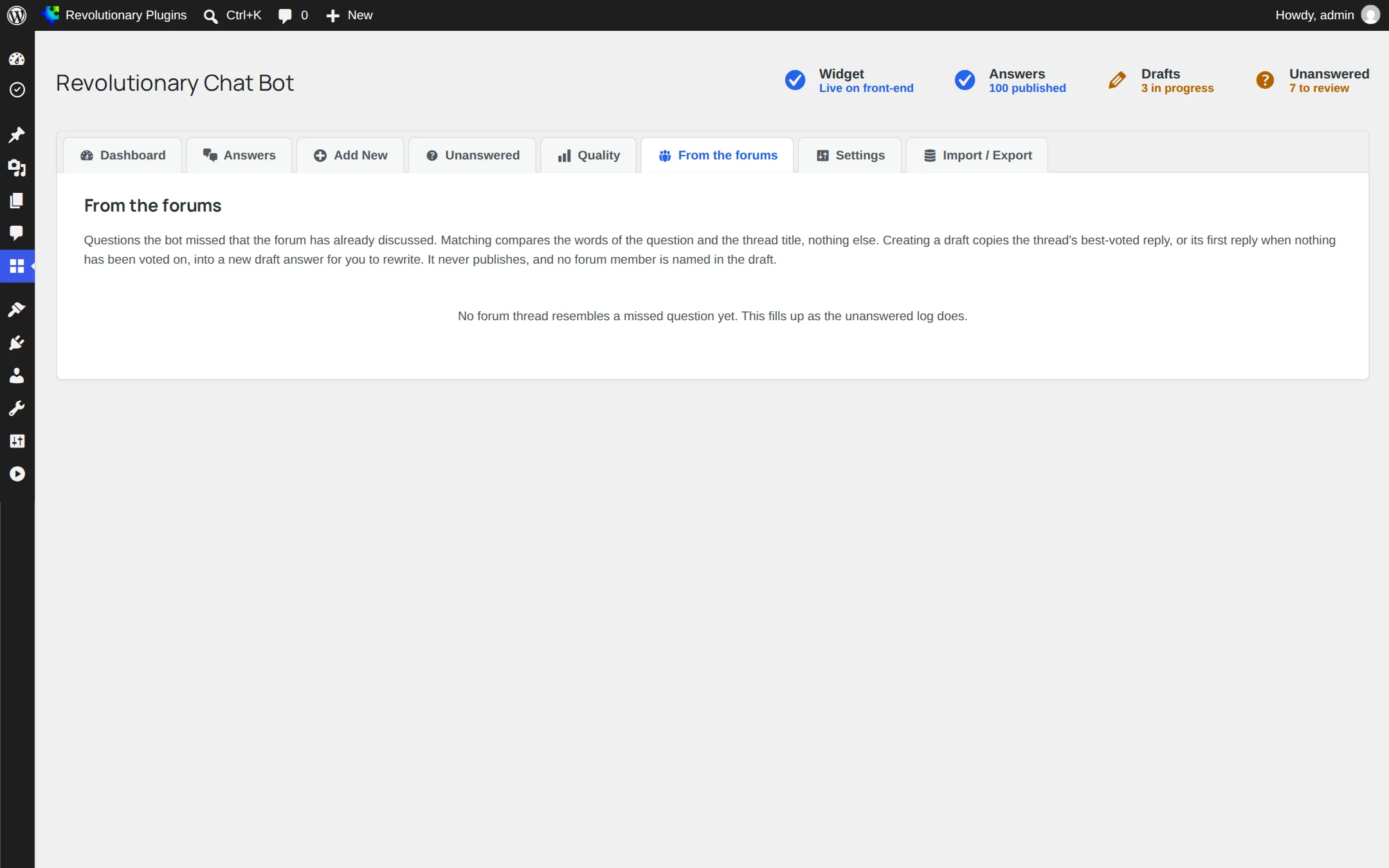
When Revolutionary Forums is active, this screen suggests forum threads that resemble questions the bot missed. Create a draft answer from the best voted reply in one click. The member who wrote it is not named in the answer.
Tools
Import and export
Move the whole knowledge base in or out as CSV or JSON.
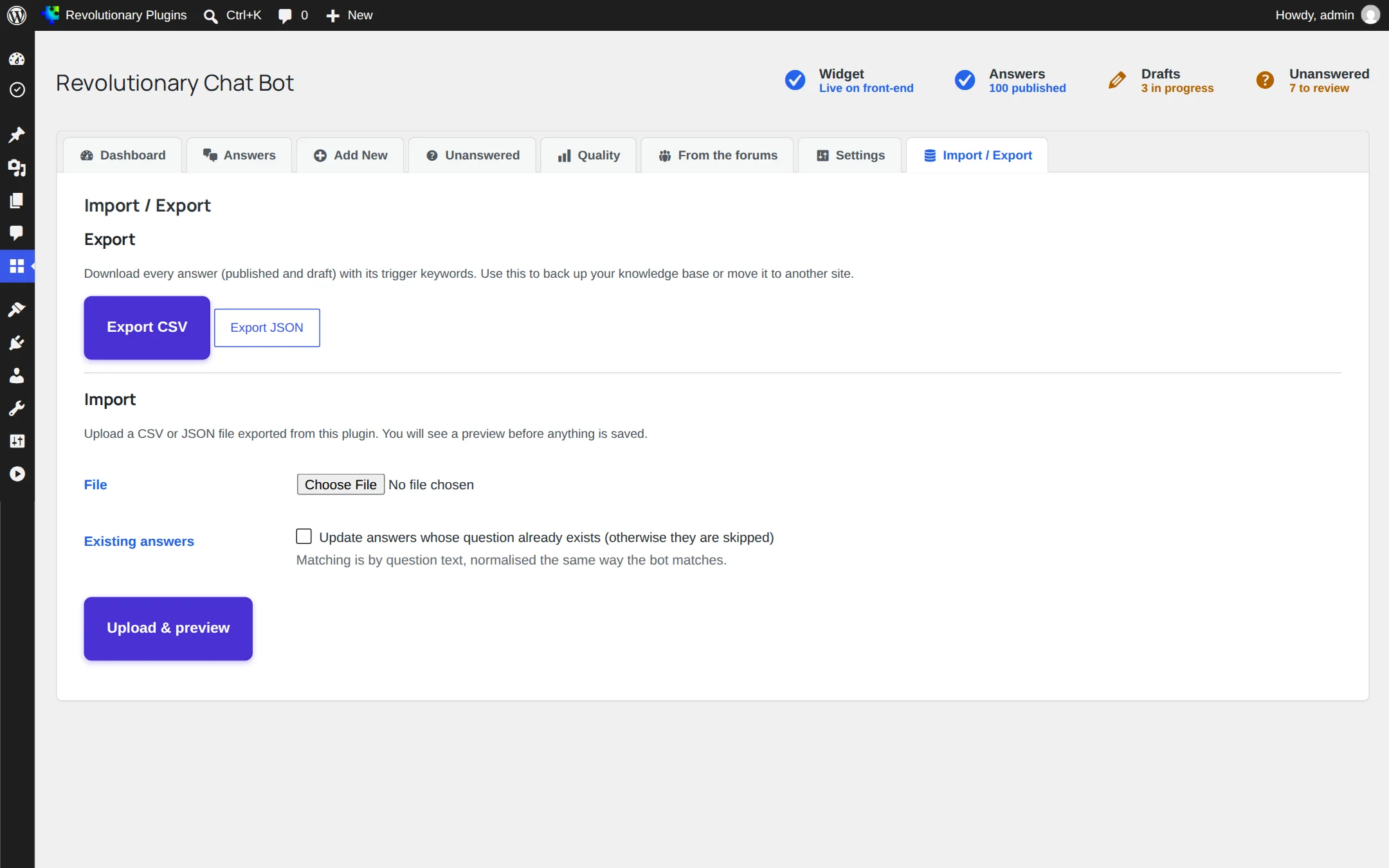
- Every import starts with a dry-run preview that counts new rows, duplicates and ignored rows.
- Choose to skip or update duplicates.
- Files up to 5 MB and 5,000 rows.
Publishing
Answers page and FAQ schema
Publish your answers as a normal page that search engines can crawl.
Add the Revolutionary Chat Bot Answers block, or the shortcode [revolutionary_chat_bot_answers]. Each answer becomes a heading with an expandable panel and a stable anchor link. No JavaScript is required.
| Attribute | Default | Options |
|---|---|---|
| limit | 50 | Up to 500 |
| order | featured | featured, hits or alpha |
| group_by | auto | auto groups by a category taxonomy if there is one; none for a flat list |
| intro | Empty | Text shown above the list |
| heading_level | 2 | 2 to 5 |
| expanded | none | none, first or all |
| schema | 1 | 0 turns off FAQPage structured data for this page |
Reference
Shortcodes, WP-CLI and filters
Inline chat
[revolutionary_chat_bot title="Ask us anything"], or the Revolutionary Chat Bot block with its Title setting.
Status
wp rcb status (add --format=summary or --pretty), or GET /wp-json/revolutionary-chat-bot/v1/status signed in as an administrator, for example with an application password.
Filters
- rcb_stopwords, rcb_small_talk, rcb_question_shapes, rcb_query_hints, rcb_filler_typo_targets
- rcb_rate_limit, rcb_rate_limit_window, rcb_client_ip, rcb_index_max_answers
- rcb_settings_defaults, rcb_settings_sanitize, rcb_settings_rows, rcb_forms_topic_param
- rcb_answers_scan_content, rcb_answers_schema_cooperate, rcb_answers_noindex
Troubleshooting
Common questions
The match was too close to call, or the question used words none of your answers mention. Add trigger keywords or a synonym group, or mark the preferred answer as a starter.
Check that Enable globally is on in Settings and that at least one answer is published. Drafts are ignored.
Make sure it is published. The index rebuilds automatically whenever an answer changes, so there is nothing to clear.
Each visitor can ask 20 questions a minute. Editors are exempt. Developers can change the limit with the rcb_rate_limit filter.
Settings, the unanswered log and the counters are deleted. Your answers are kept, so you can reinstall without losing them.
Stuck on something?
Search the forums, open a ticket, or write to us. A real person reads every message.