

Documentation · Revolutionary SMTP 0.6.8
Revolutionary SMTP, set up and explained.
How to connect Microsoft 365, SendGrid, Postmark, Amazon SES or any SMTP server, read the email log and dashboard, and troubleshoot a message that did not arrive.
Released version 0.6.6
Current release setup and checks
Send WordPress email through a configured provider and inspect delivery records.
- Choose the connection to use for WordPress mail after configuring and testing it.
- When no connection exists, the Dashboard links to Integrations and the test-send tool. Connection cards record who connected and when.
Check your setup
- Send a test message to a mailbox you control and check both the mail log and receipt.
- Use fake addresses in screenshots and remove message bodies and provider credentials from shared diagnostics.
Watch the walkthrough
Test WordPress email without sending real mail
Enable Revolutionary SMTP test mode, submit a fictional test message and inspect the mail log. The recording demo blocks external delivery and contains no transport credentials.
Recording release: 0.6.5. Captured on an isolated demonstration site.
Chapters
Quick start
Up and running in minutes
Step 1
Install and activate
Upload the plugin zip in Plugins, Add New, then Activate. The email log table is created on activation.
Step 2
Pick a connection
Microsoft 365 tenant? Use Graph. SendGrid, Postmark or SES? Use its connection. Anything else? Use Custom SMTP.
Step 3
Add it and make it active
SMTP, Settings, Integrations. Click New Connection, fill in the details, save, then click Make active.
Step 4
Send a test
SMTP, Tools, Send test. If it arrives, you are done. If not, the log shows the provider's error.
On this page
Start here
Where everything lives
Everything is under Revolutionary Plugins, SMTP: the Dashboard, Settings (with the Settings and Integrations tabs), the Email Log and Tools (Send test, Debug log and System report).
License and updates
Enter your Revolutionary bundle key once in Multipurpose Dashboard, Welcome. The plugin uses it only for updates. Sending is never blocked.
Requirements
WordPress 5.8 or later and PHP 7.4 or later.
Which connection should I use?
| If you use | Choose |
|---|---|
| Microsoft 365 or Exchange Online | Microsoft 365 Graph |
| Microsoft 365 with SMTP sign-in still allowed | Graph is still preferred; Office 365 SMTP (OAuth2) also works |
| SendGrid, Postmark or Amazon SES | That provider's connection |
| Your host's mail server, or another provider | Custom SMTP |
Recommended
Microsoft 365 with Graph
Sends through the Microsoft Graph API with app-only Mail.Send permission. Works with shared mailboxes and on tenants where SMTP AUTH is disabled.
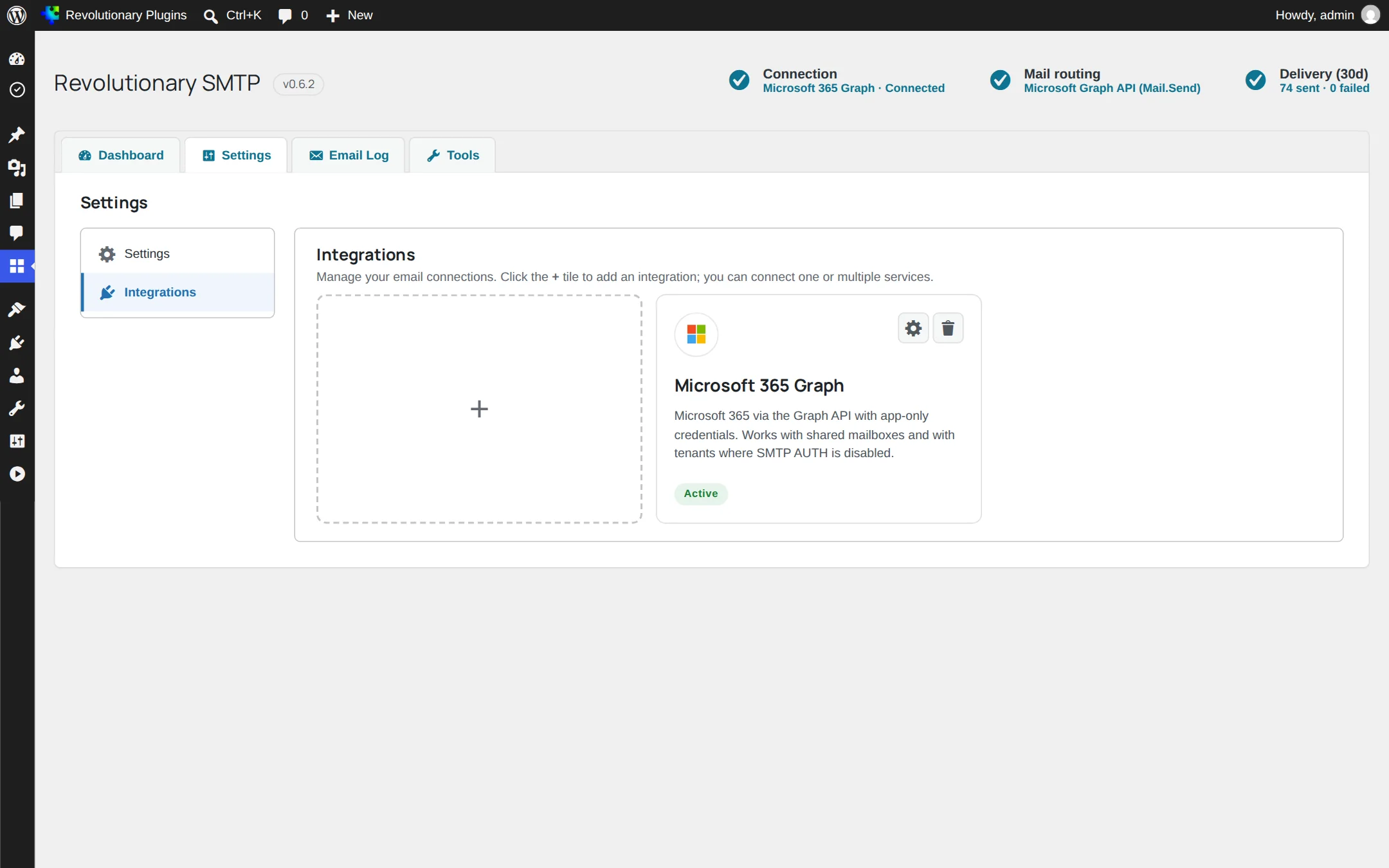
- 1. In the Microsoft Entra admin center, create an app registration.
- 2. Under API permissions, add the Microsoft Graph application permission Mail.Send.
- 3. Under Certificates and secrets, create a client secret and copy its value.
- 4. In WordPress, open SMTP, Settings, Integrations and add a Microsoft 365 Graph connection.
- 5. Register the Redirect URI shown on the card in your app registration.
- 6. Enter the Tenant ID, Client ID, Client Secret and the Send from mailbox, then save.
- 7. Click Connect to Microsoft and approve as a Global Administrator.
- 8. Confirm the card shows Authorized, then click Make active.
One consent, every site
Admin consent is granted to the app for the whole tenant. Other sites that use the same app registration check again on their own, at most every 15 minutes while an admin views Integrations, and show Authorized without another click.
Legacy option
Microsoft 365 over SMTP (OAuth2)
The original connection, using XOAUTH2 over SMTP. It needs a licensed mailbox and SMTP AUTH enabled for it.
- Fields: Tenant ID, Client ID, Client Secret, SMTP mailbox, and an optional forced From email and name.
- The SMTP mailbox must be the account that completes the sign-in.
- If Microsoft has disabled SMTP AUTH on your tenant, this connection fails with an authentication error. Use Graph instead.
Automatic move to Graph
When the plugin updates, a working SMTP connection is converted to a Graph connection automatically, but only when that cannot change what recipients see.
Transactional providers
SendGrid, Postmark and Amazon SES
Add the connection for your provider on the Integrations tab.
| Provider | What you enter |
|---|---|
| SendGrid | API key |
| Postmark | Server token, and an optional message stream |
| Amazon SES | Access key ID, secret access key and region |
For Amazon SES, the SMTP password is derived from your secret key for you. Send from an address or domain you have verified in SES, in the same region.
Any server
Custom SMTP and Sent folder copies
Works with your host's mail server and any provider that offers SMTP.
- SMTP host and port.
- Encryption and whether the server requires authentication.
- Username and password.
Save a copy to the Sent folder
Tick Save a copy to the Sent folder to append each sent message to the mailbox over IMAP, so it appears next to mail you sent by hand. Enter the IMAP host, port (usually 993 for SSL/TLS or 143 for STARTTLS) and encryption. Username and password default to the SMTP ones. Leave the Sent folder blank and the plugin asks the server which folder to use.
Connections
Choosing the active connection
You can save several connections, but only one sends at a time.
- The active card shows an Active pill. Every other card has a Make active button.
- A Microsoft connection that verifies successfully becomes active automatically.
- You can also pick the active connection from the Settings tab.
- PHP mail() is available as a fallback.
Reporting
Dashboard
What your site sends, how much fails and where it comes from.
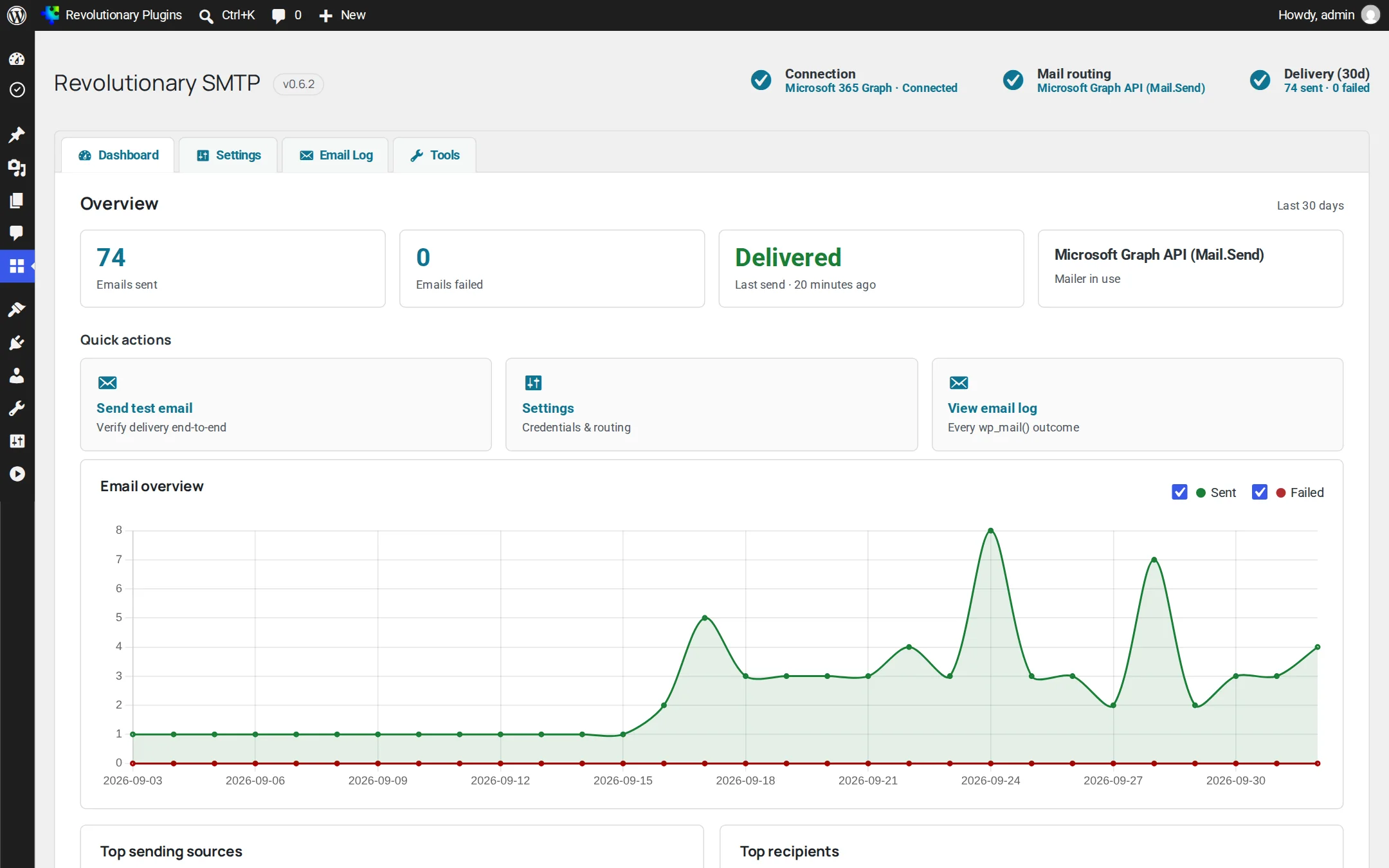
- Overview: emails sent, emails failed, the last send and the mailer in use.
- Quick actions for sending a test, opening settings and viewing the log.
- Email overview chart of sends and failures.
- Top sending sources, showing which plugin or feature sent the mail.
- Top recipients.
- Integrations, listing each saved connection with the active one first.
Reporting
Email log
One row for every email your site tries to send.
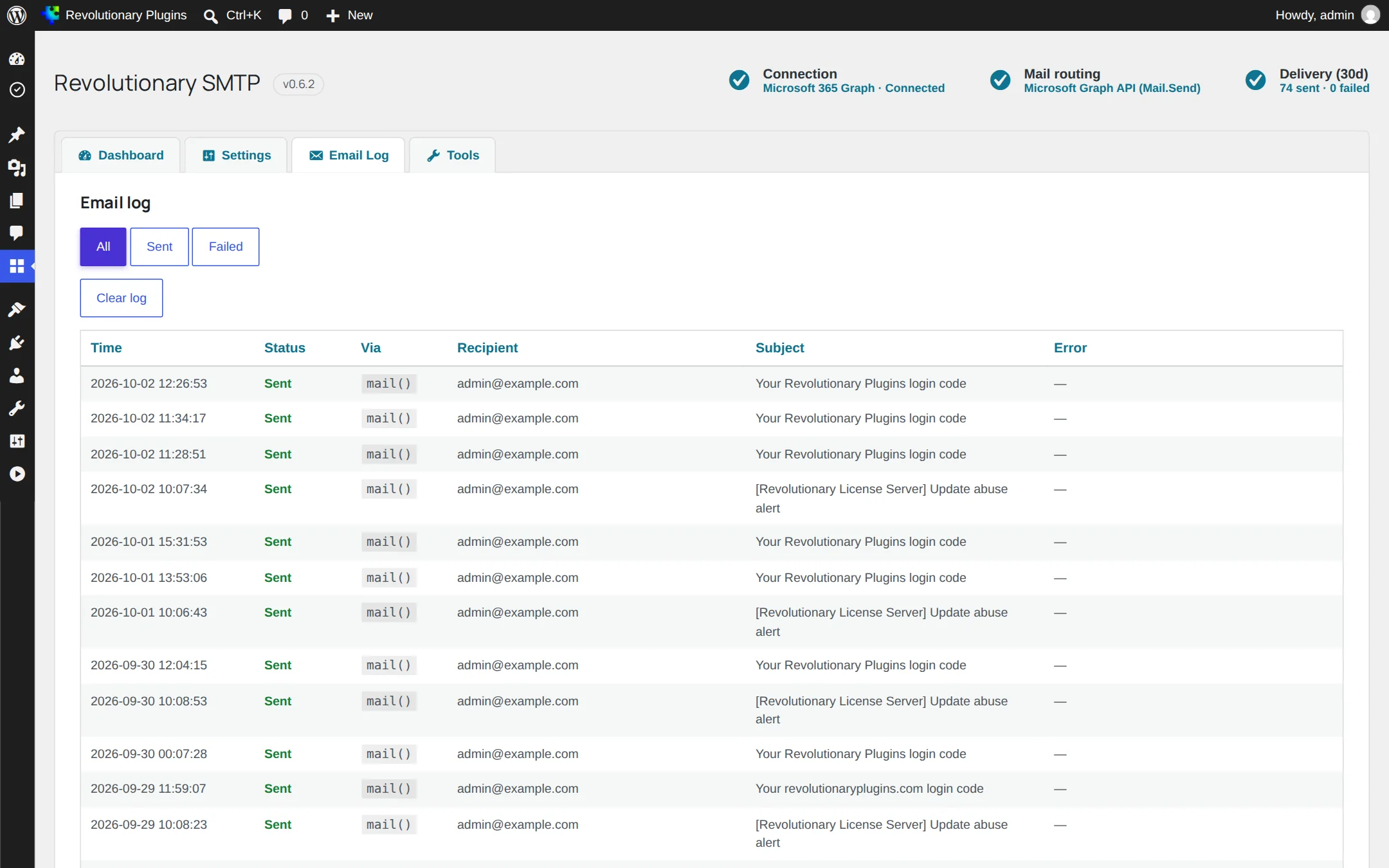
Each row records the time, status, the route used, the recipient, the subject and any error. Filter by status to see only failures. Rows older than 30 days are removed automatically, and Clear log empties it.
Troubleshooting
Tools
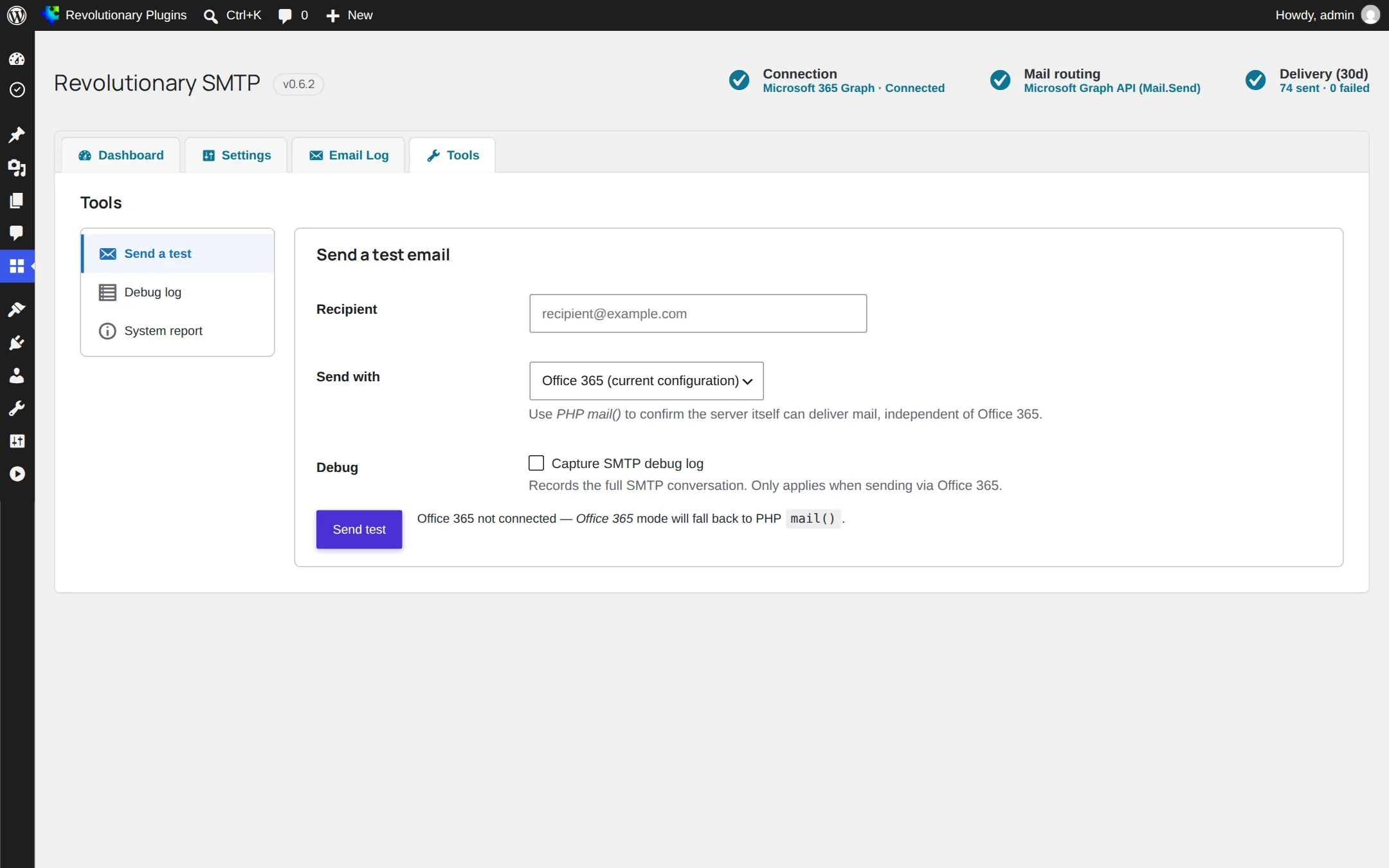
Three tabs: Send test, Debug log and System report.
Send test
Send a test email through the active connection, or through PHP mail() to bypass the plugin. Tick the debug option to see the full conversation with the server. Tests are limited to about one every 30 seconds.
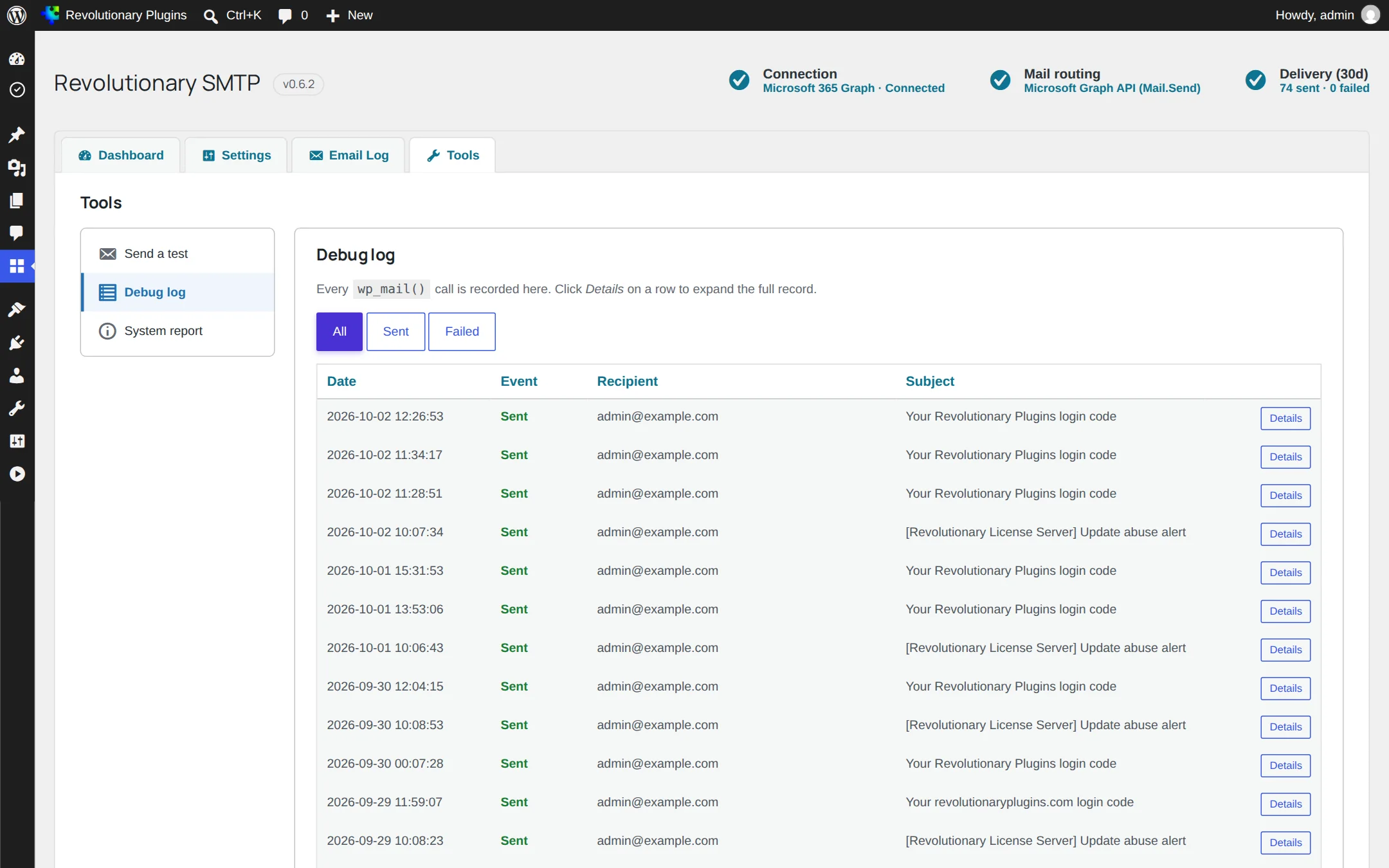
Debug log
The email log with expandable detail rows for each message.
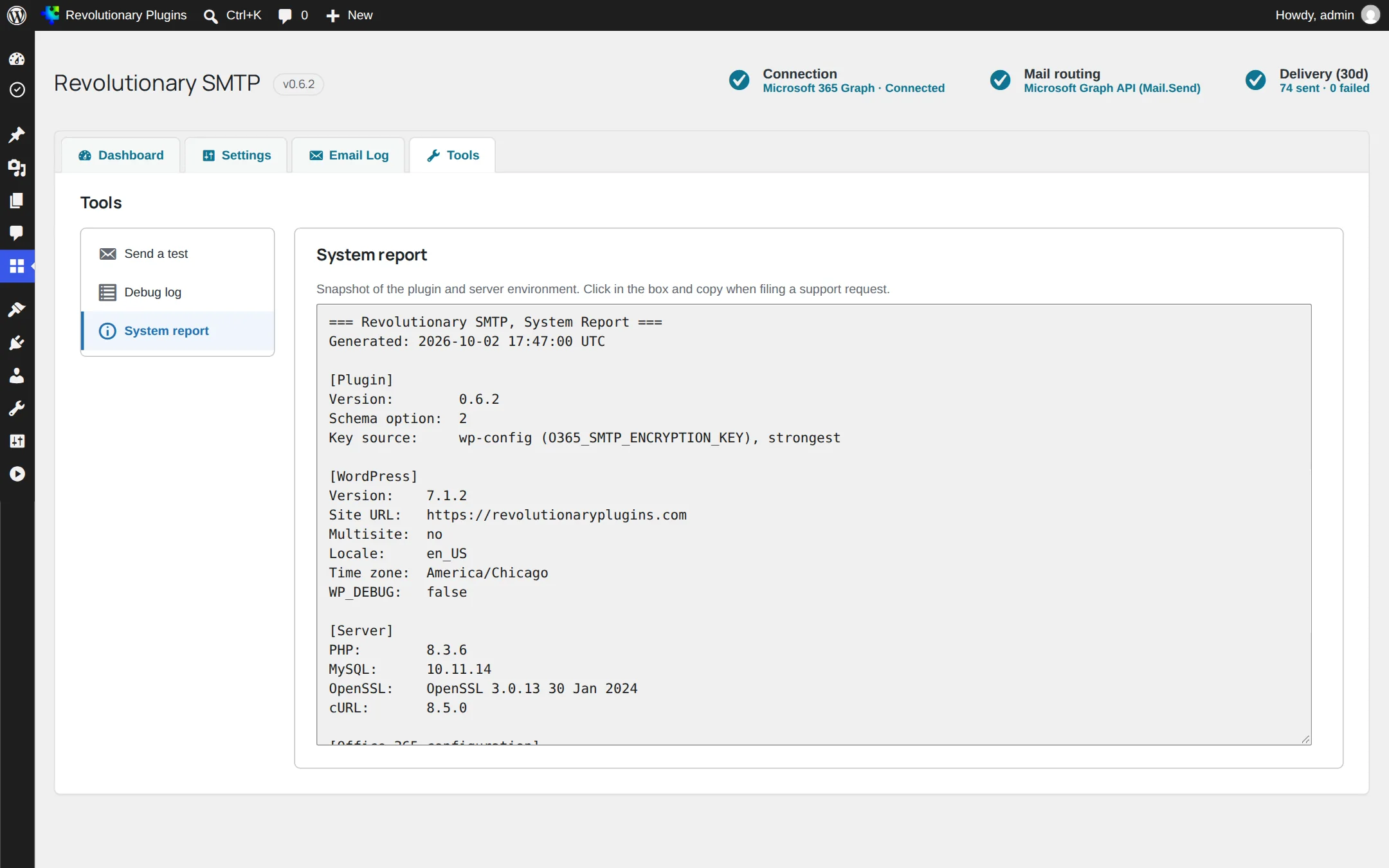
System report
Environment and connection details to copy into a support ticket.
Settings
Settings, security and uninstall
Site-wide options on SMTP, Settings.
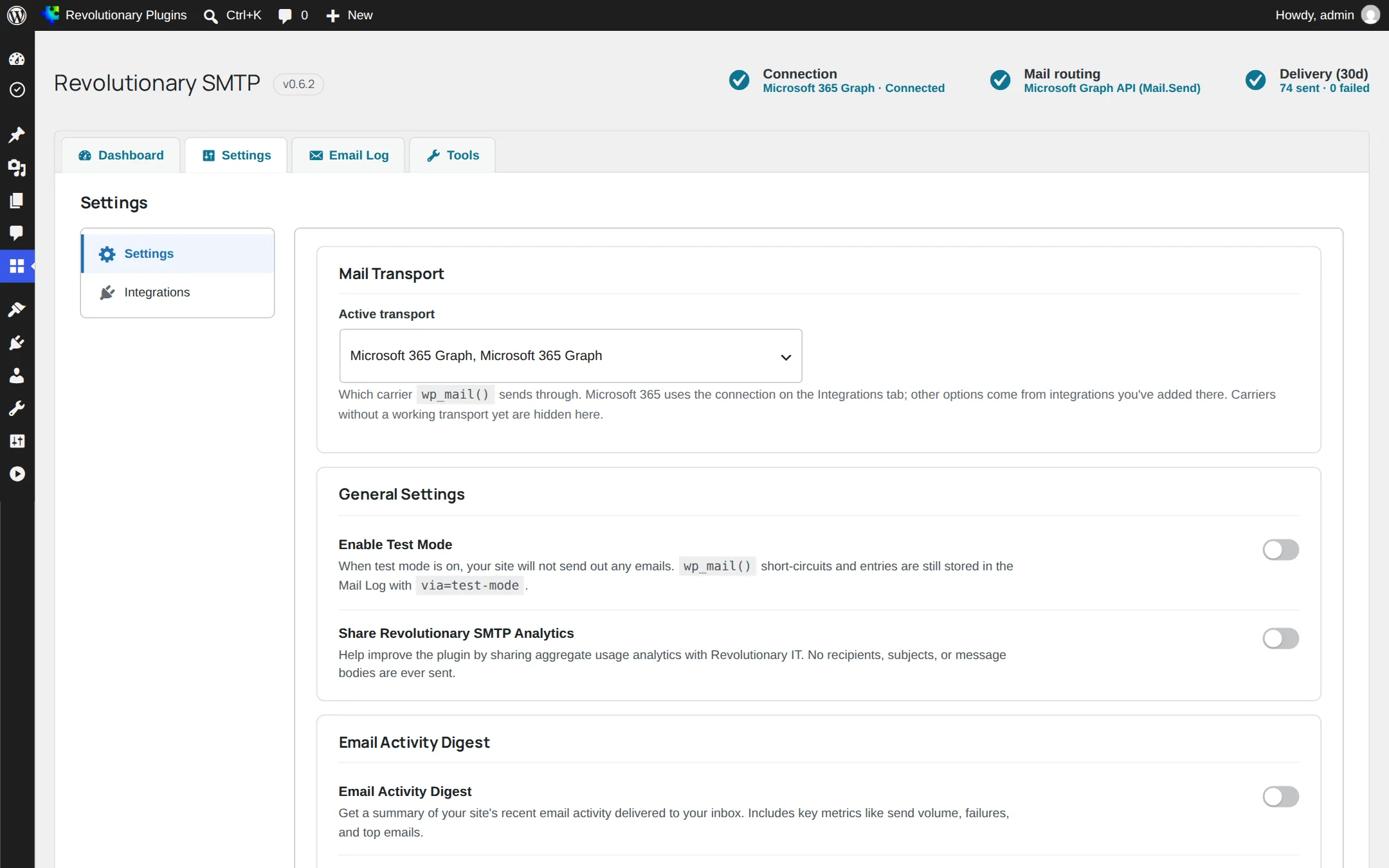
Test mode
Stops the site sending any email while still logging every message. Switch it on for staging copies of a live site so customers are never emailed by mistake.
Encryption key
Secrets are encrypted at rest. The encryption key is written to wp-config.php as O365_SMTP_ENCRYPTION_KEY when the file is writable. If it is not, a notice shows the exact line to add yourself.
Uninstall
The uninstall button erases all settings, tokens, the encryption key option and the log table. Deleting the plugin from the Plugins screen does the same.
Troubleshooting
Common questions
Check whether Test mode is on in SMTP, Settings. While it is on, messages are logged but not sent.
SMTP AUTH is most likely disabled on your tenant. Add a Microsoft 365 Graph connection and make it active.
Make sure Mail.Send was added as an application permission, not a delegated one, then click Connect to Microsoft again as a Global Administrator.
That connection is not built yet. The same applies to Google, Resend, Brevo, Mailchimp Transactional and SMTP2GO. Use Custom SMTP with the provider's SMTP details.
No. POP3 only receives mail, so it cannot send.
Stuck on something?
Search the forums, open a ticket, or write to us. A real person reads every message.